
A branded judge report for every client
Turn AsylumTracker's EOIR data into a print-ready PDF for one client: their judge's grant rates, the yearly and monthly trend, wait times, motions, appeals, bond and hearing history — always for all cases and for the client's nationality. Preview every page free; export for one credit.
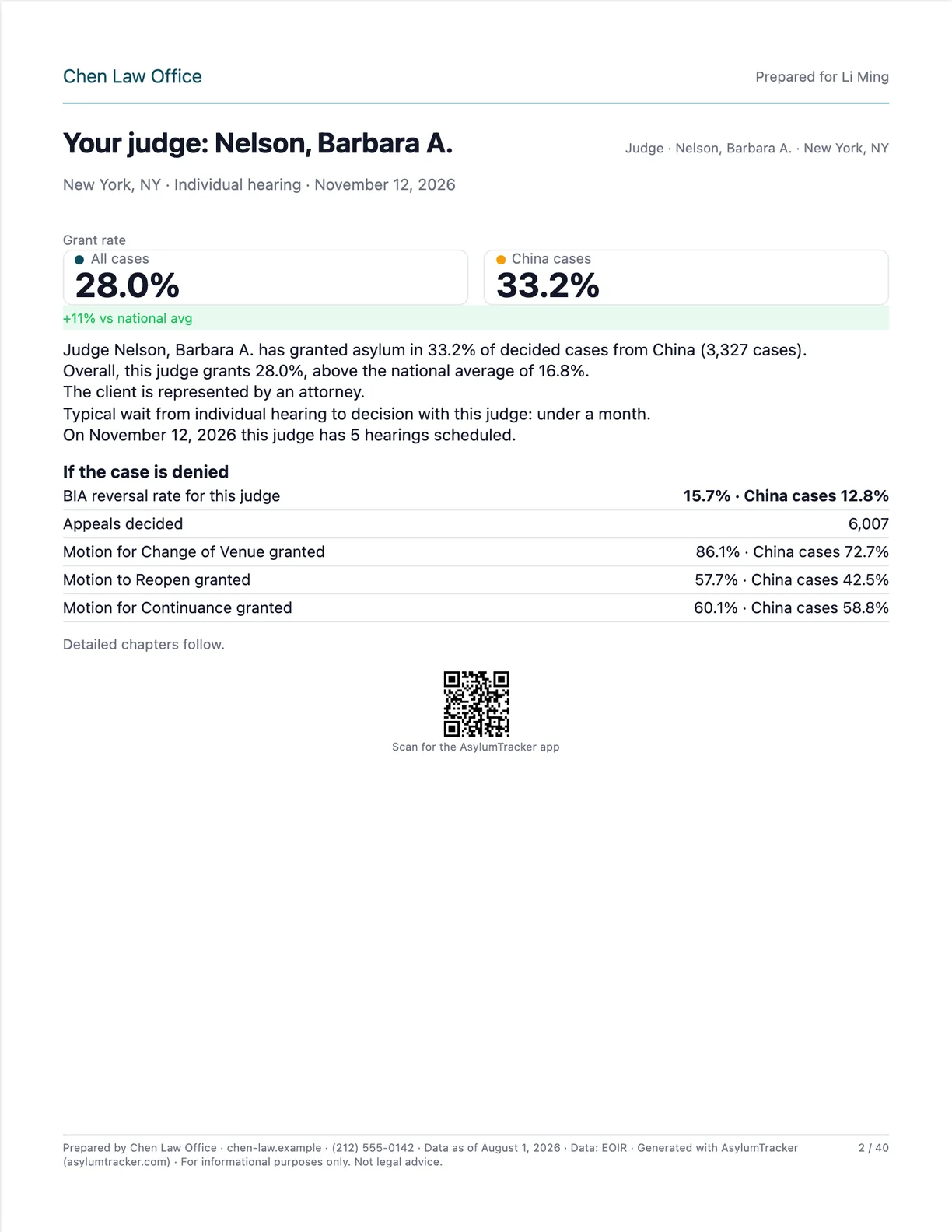
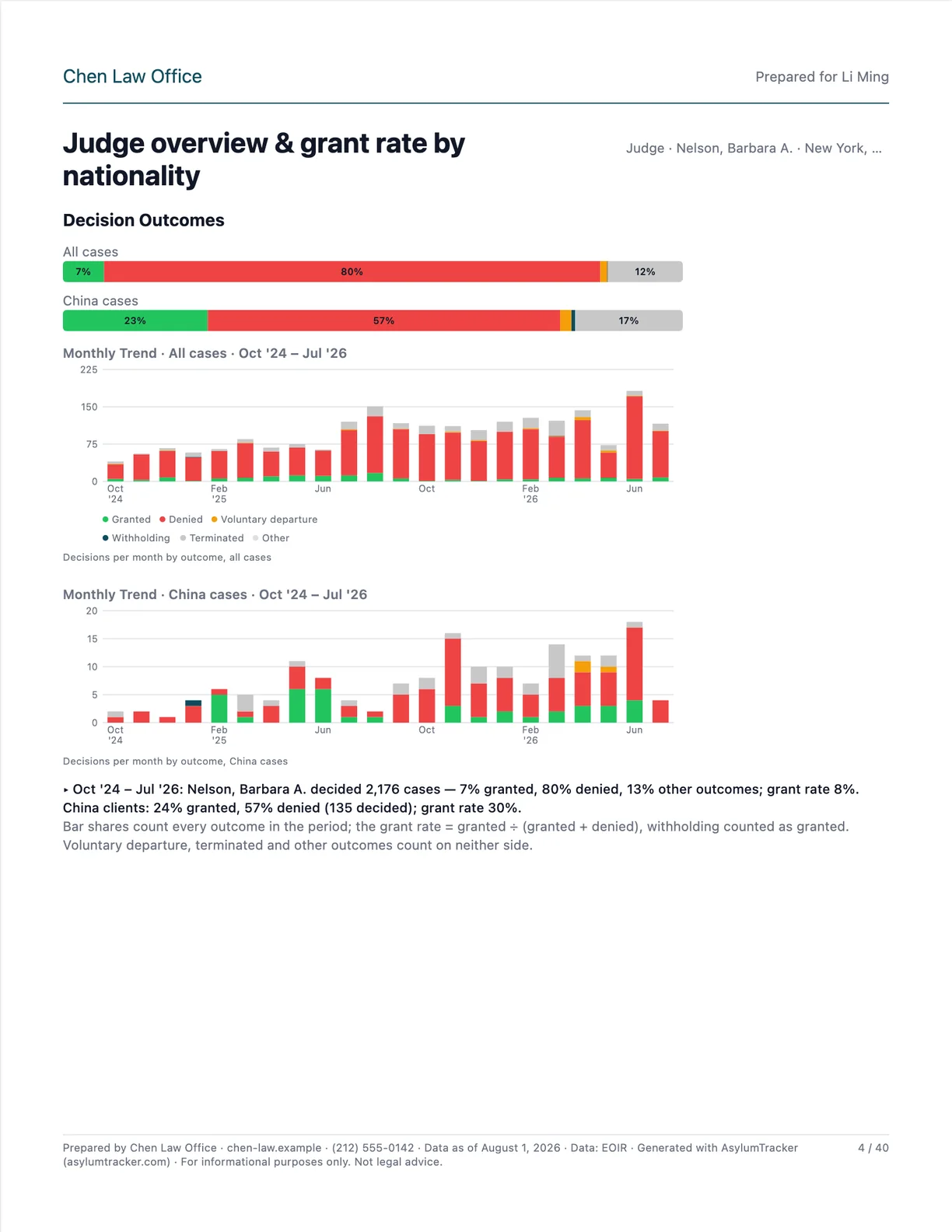
What the PDF looks like
Recorded example data (New York, NY). Every chart is the one the app shows for the same data, printed for all cases and for the client's nationality.
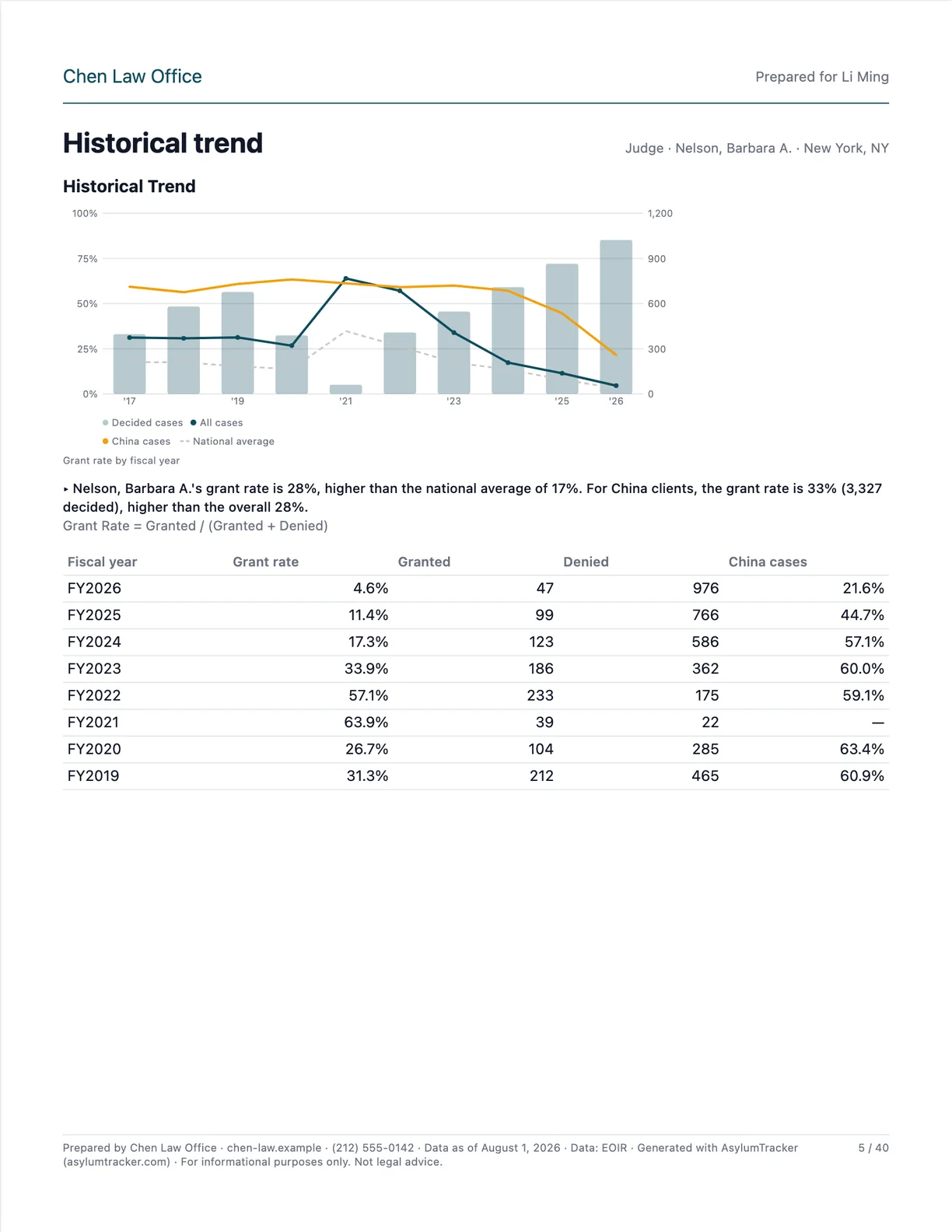
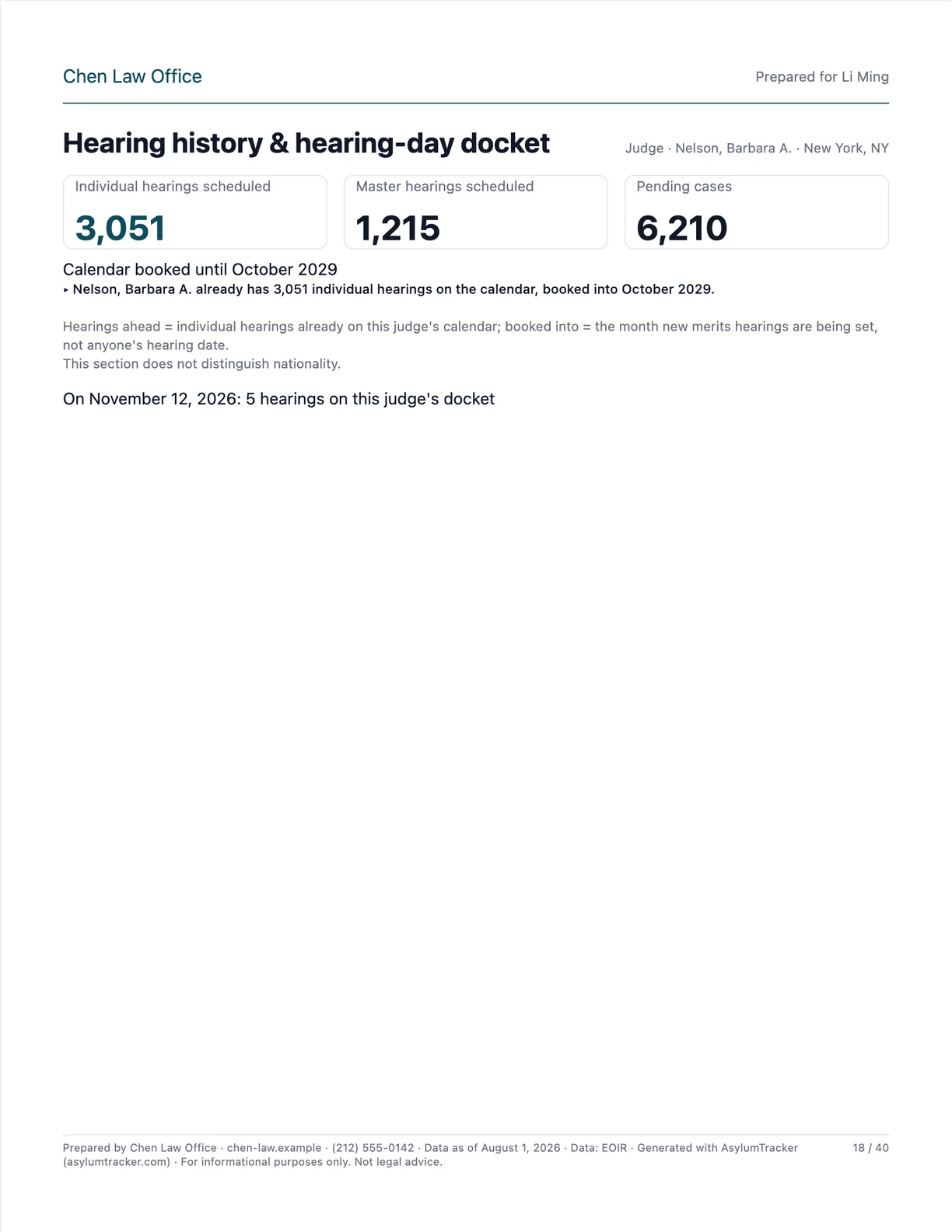
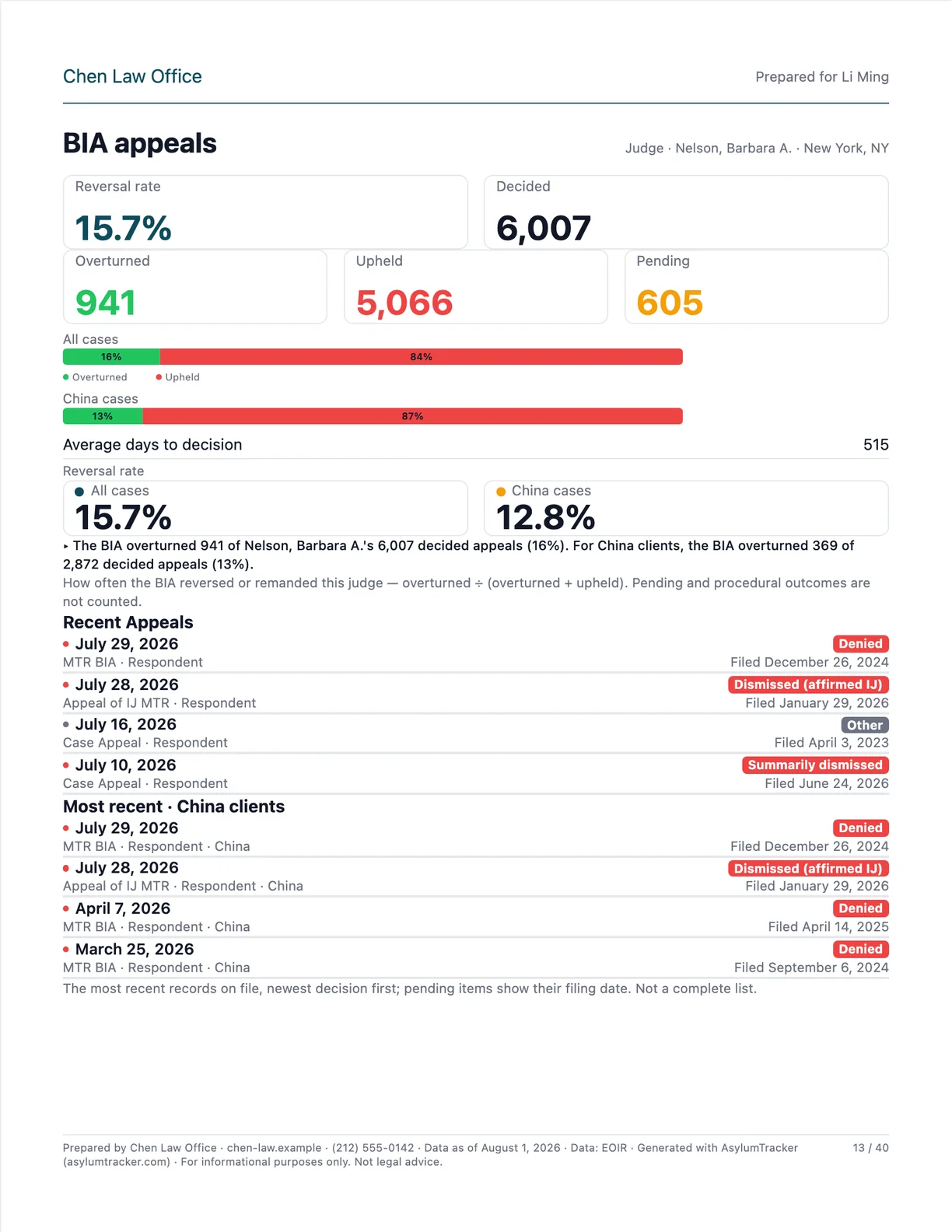
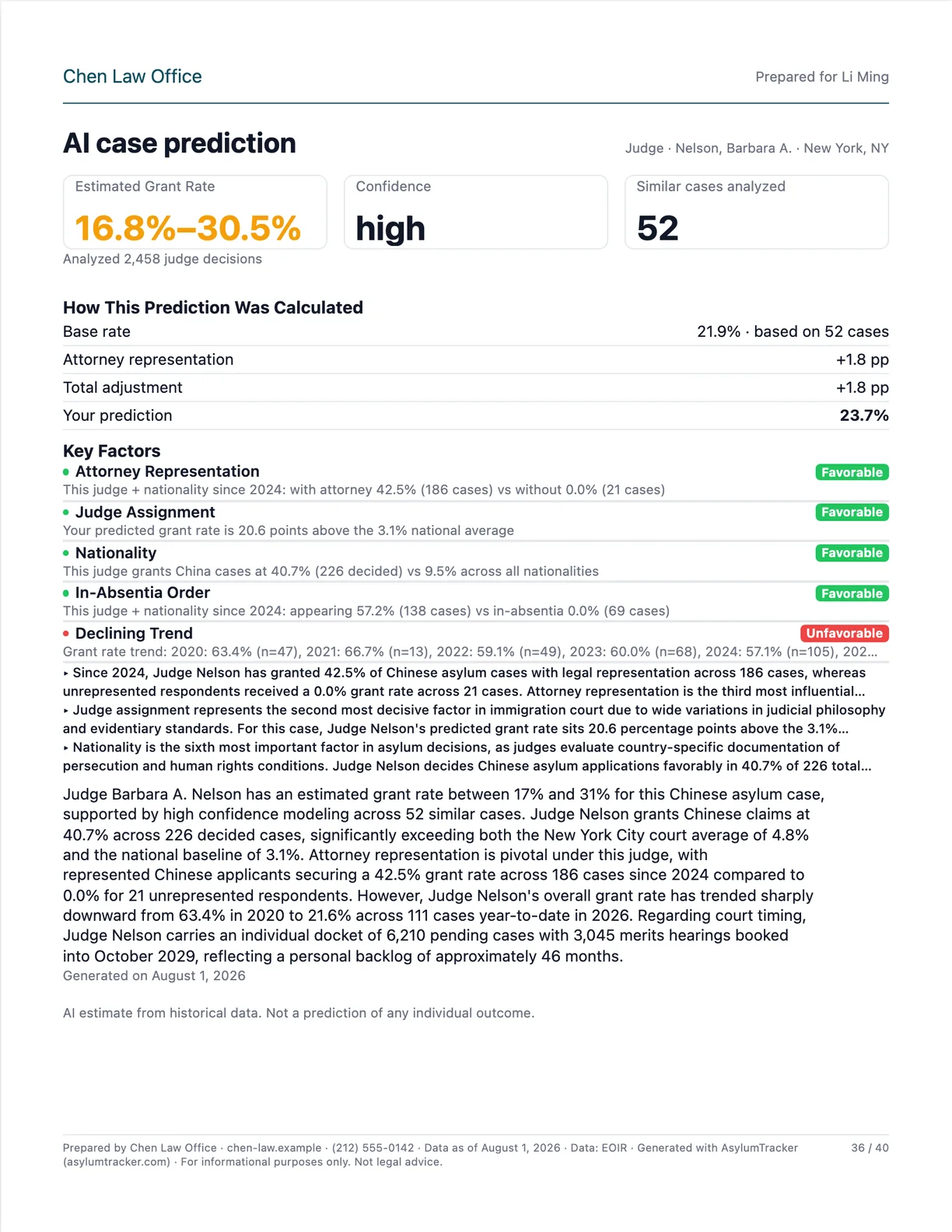
All 40 pages of the sample
The Standard preset plus the AI chapter, exactly as /report/ prints it. Tap any page to enlarge it; use the arrows to flip through.
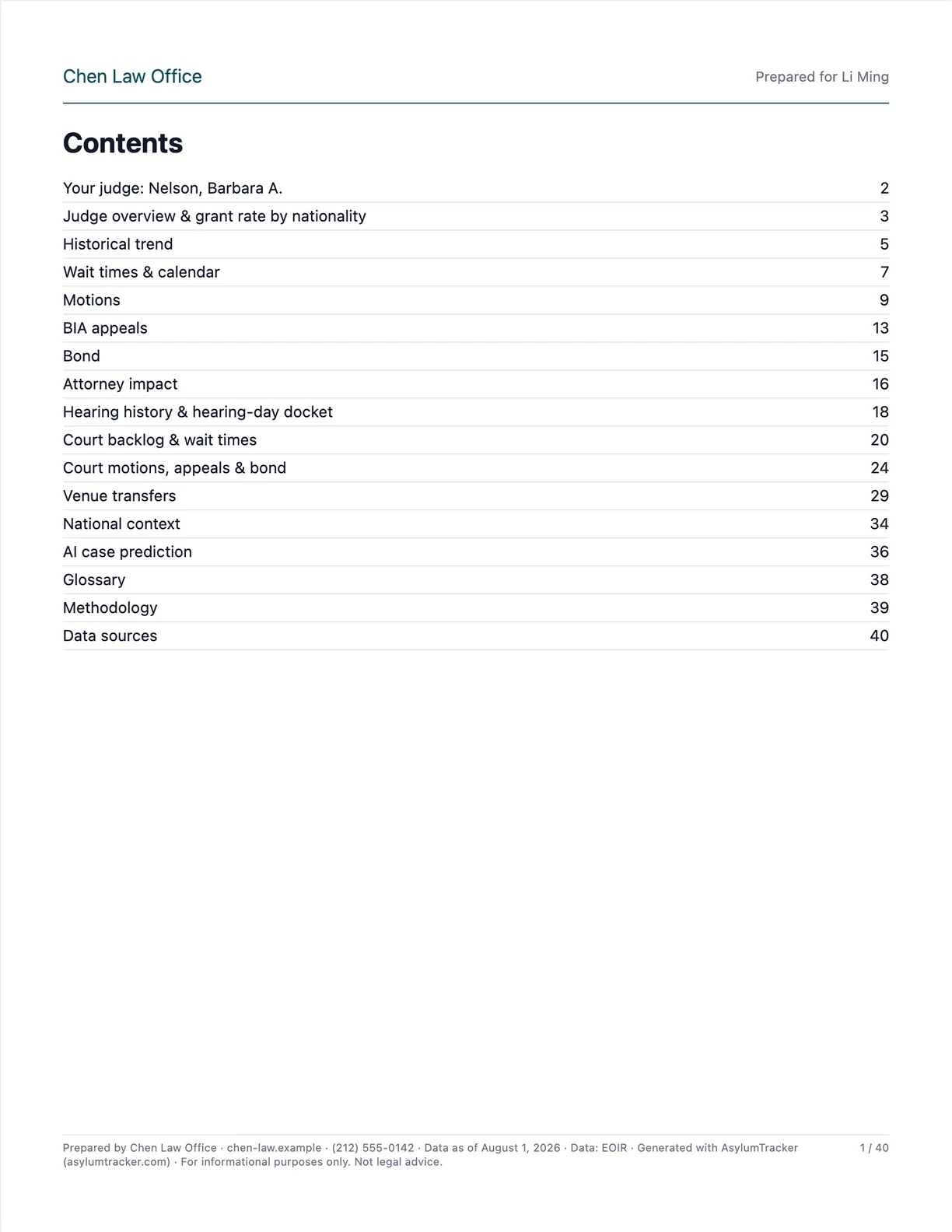 p. 1Contents
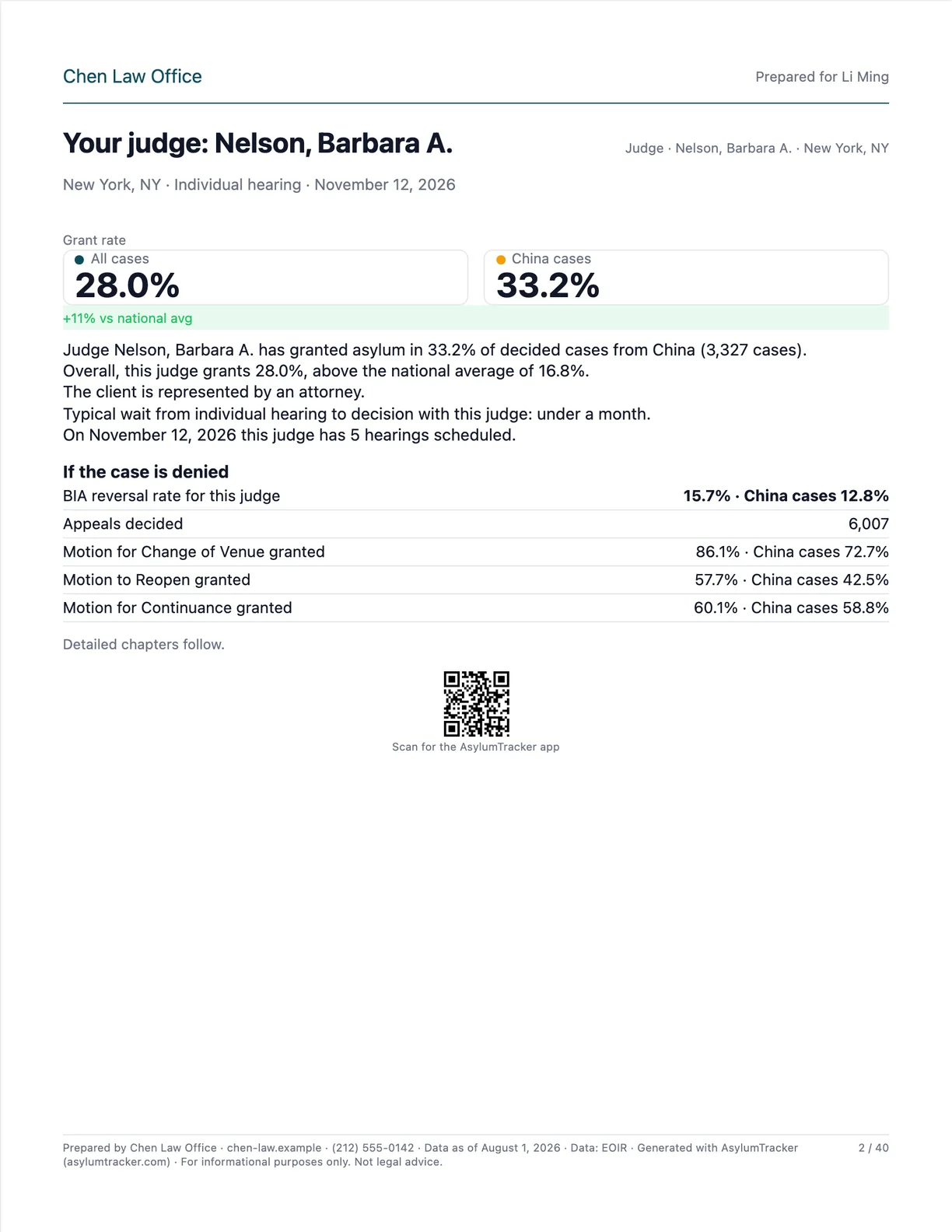 p. 2Your judge: Nelson, Barbara A.
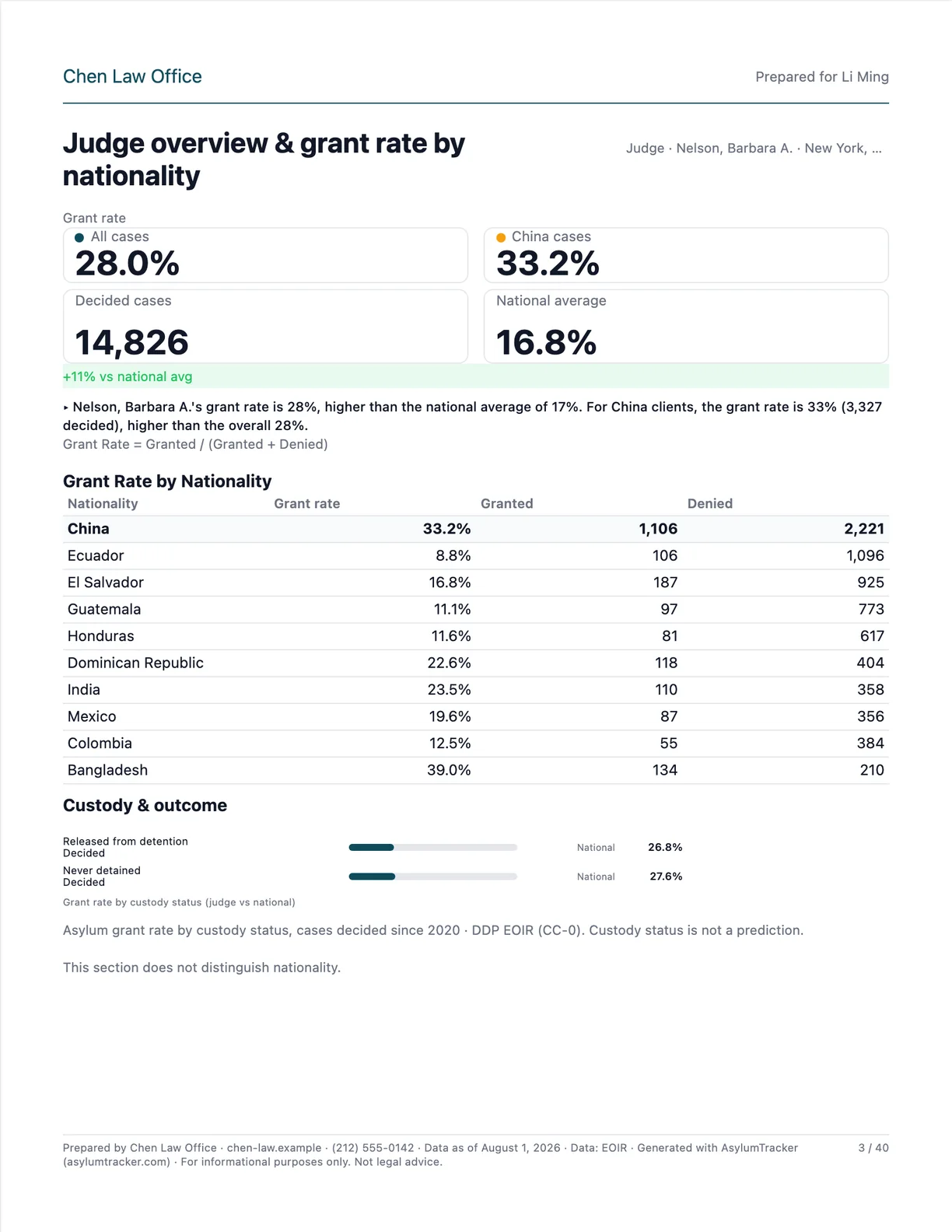 p. 3Judge overview & grant rate by nationality
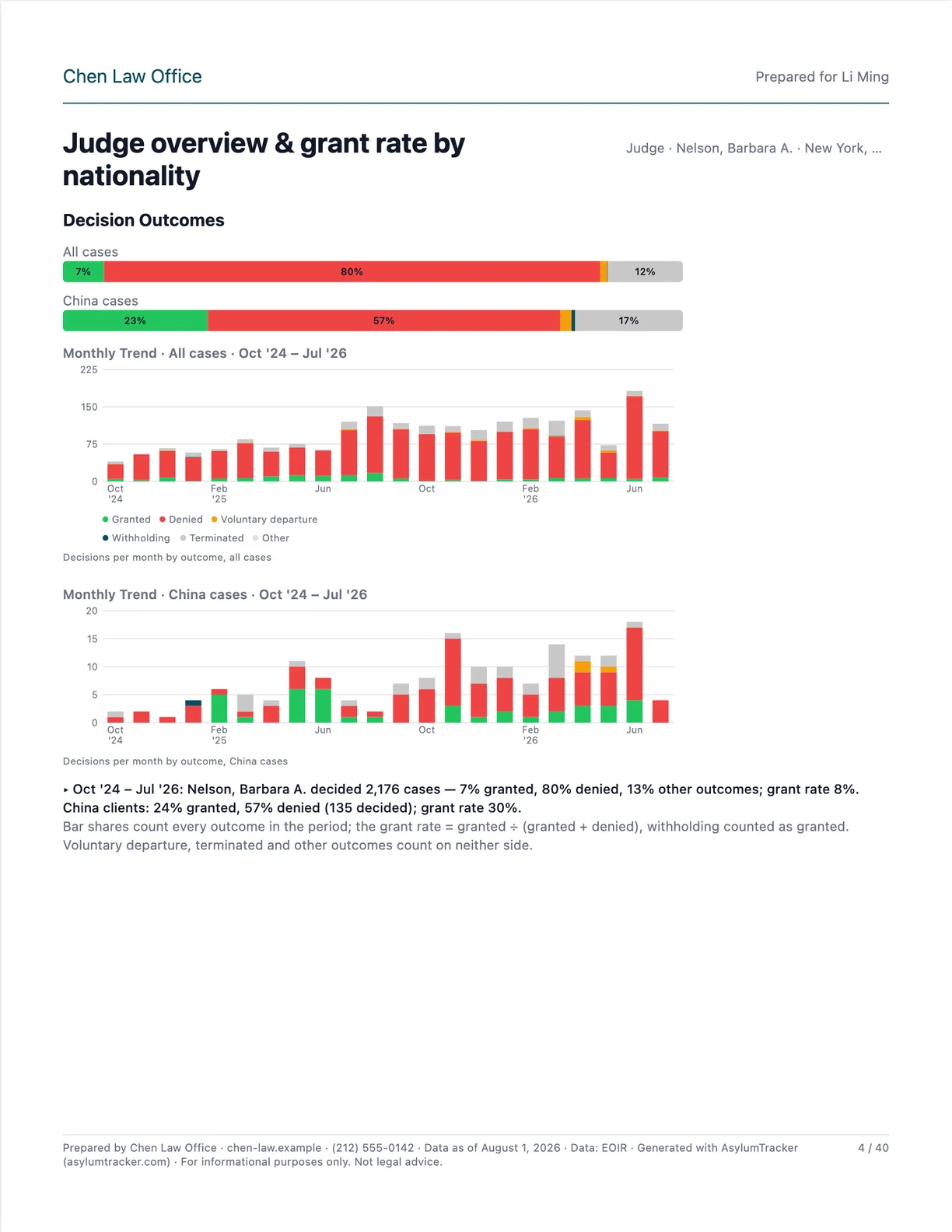 p. 4Judge overview & grant rate by nationality
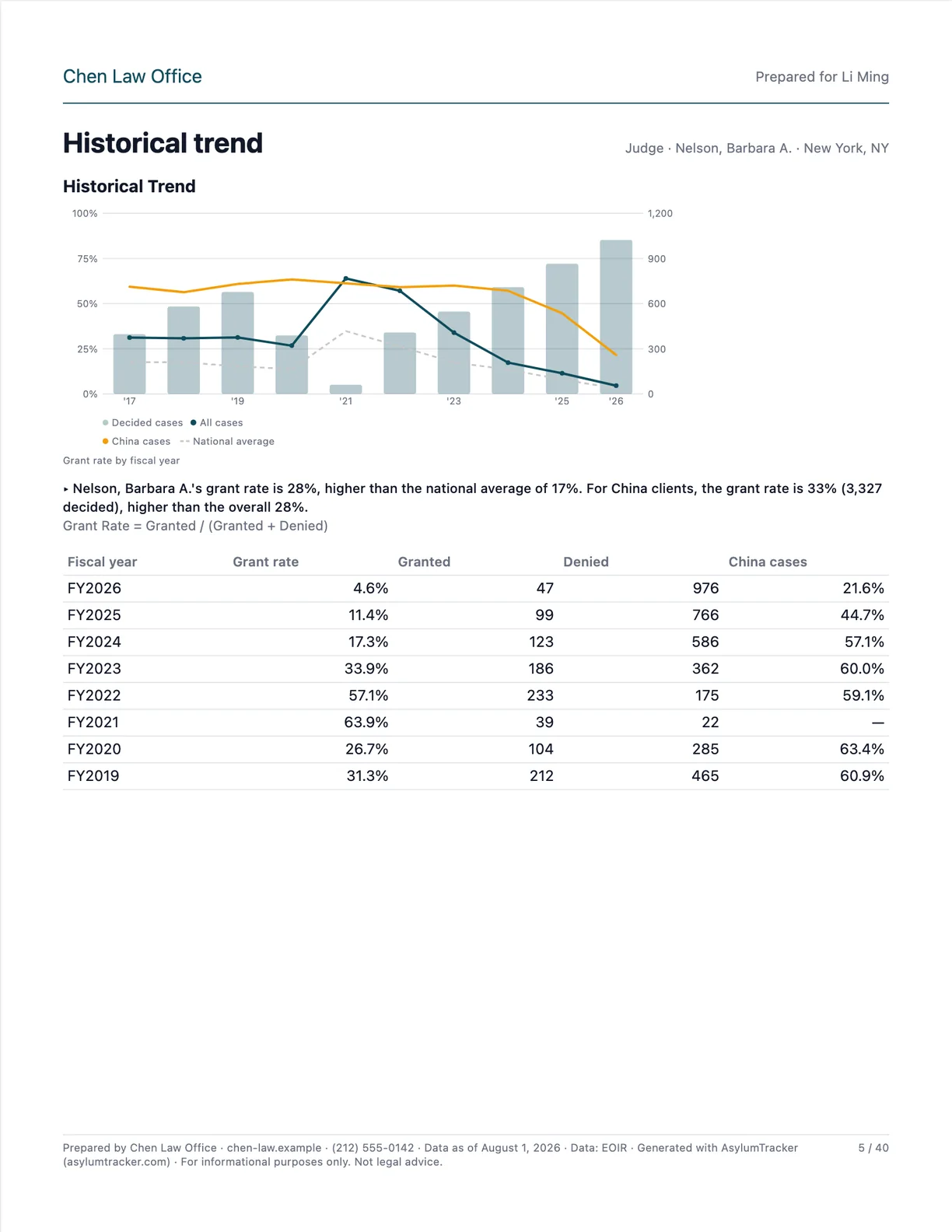 p. 5Historical trend
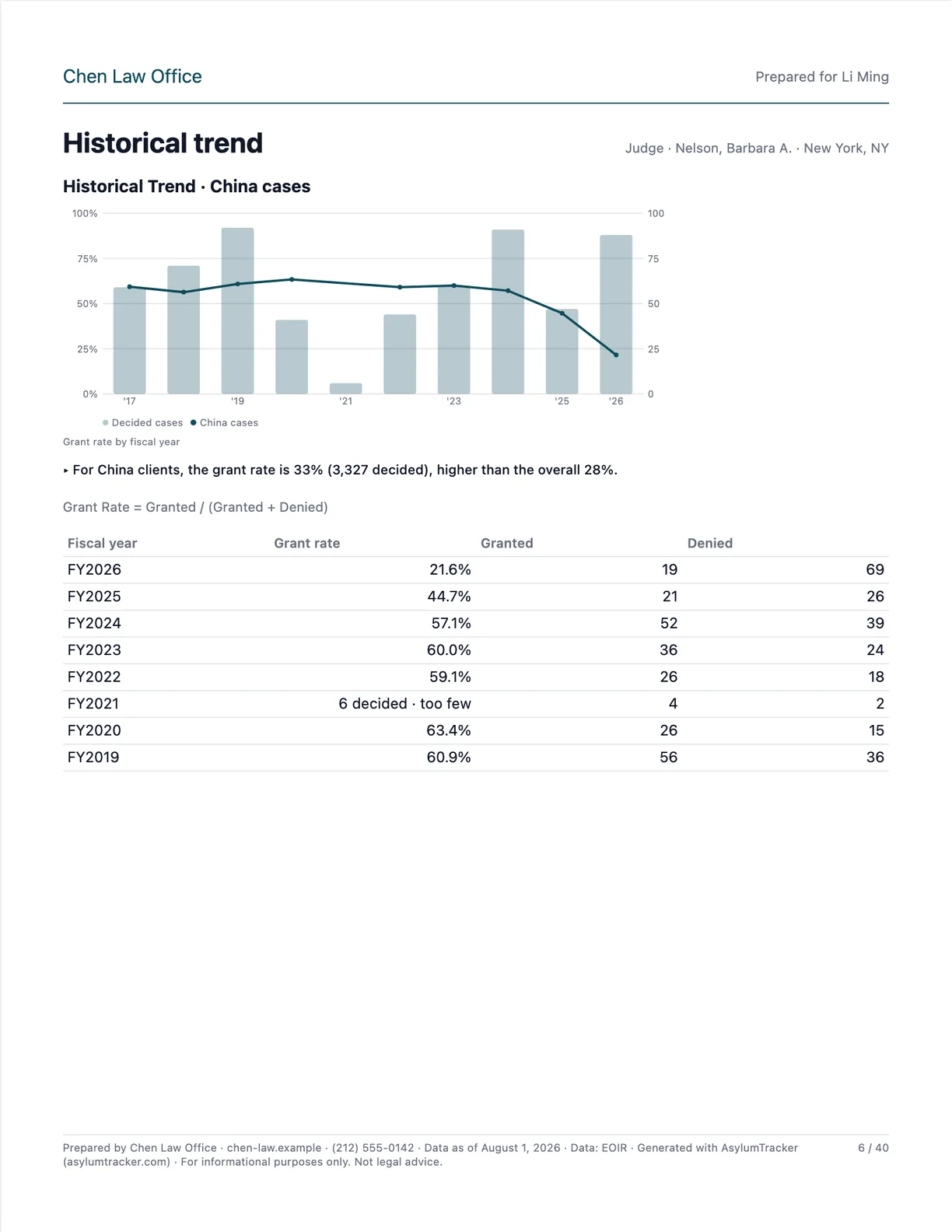 p. 6Historical trend
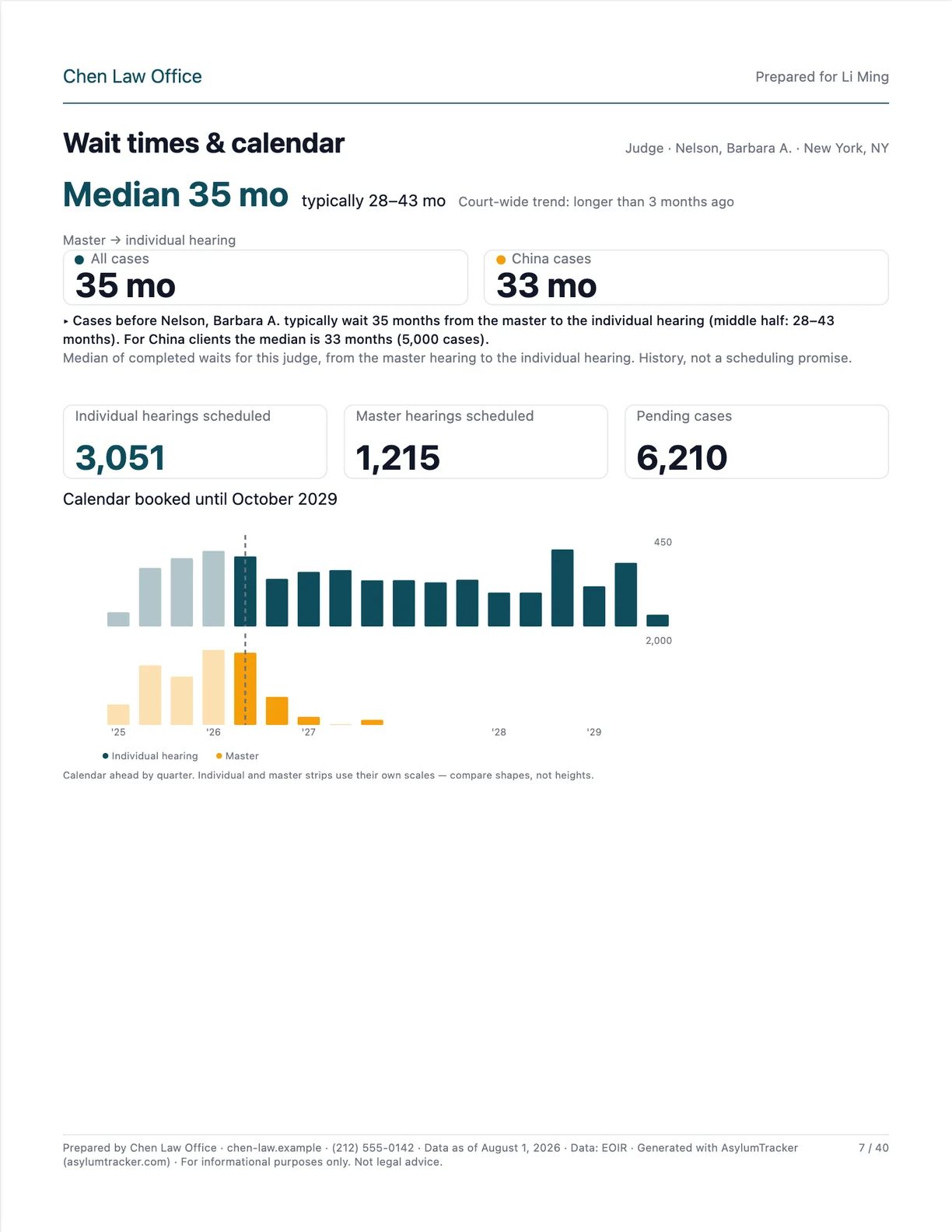 p. 7Wait times & calendar
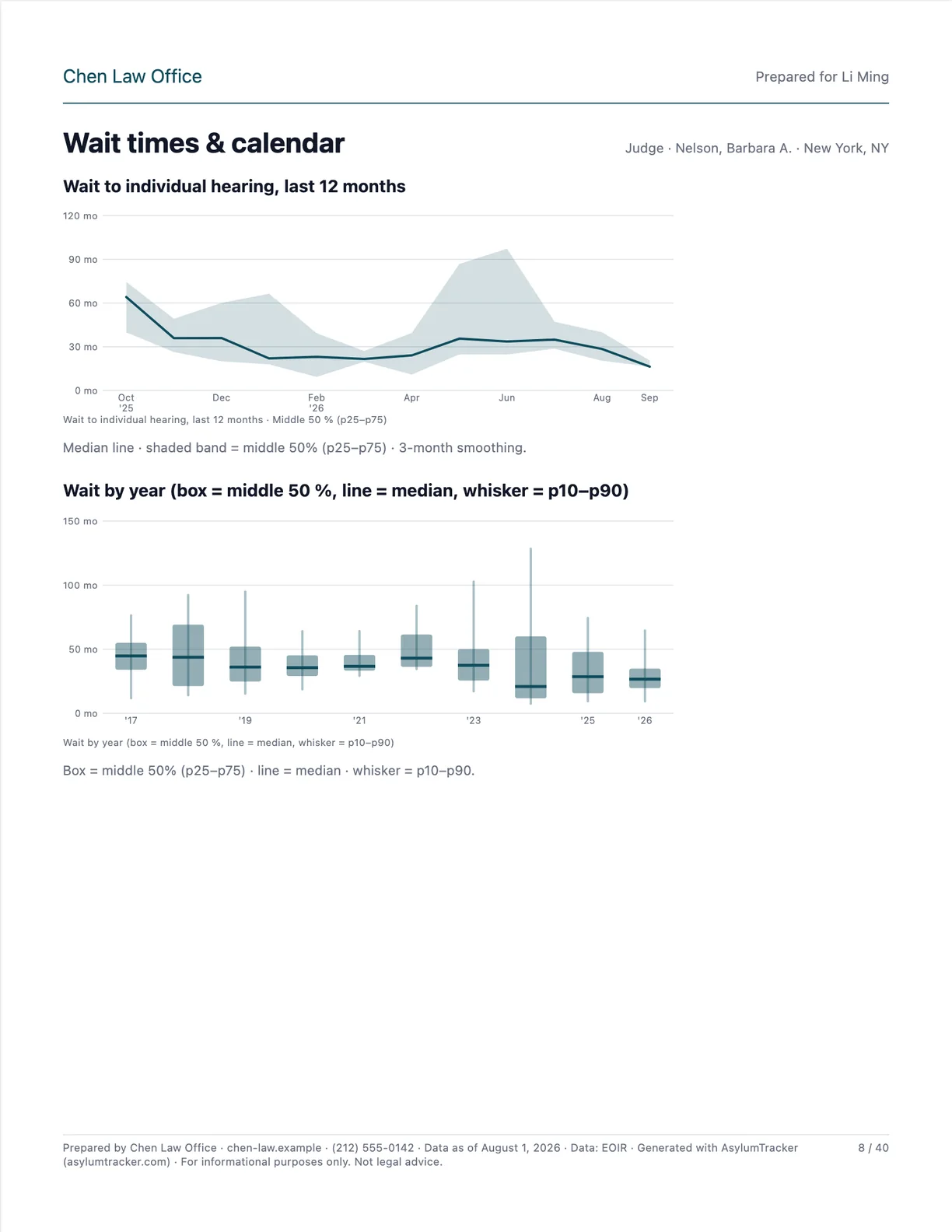 p. 8Wait times & calendar
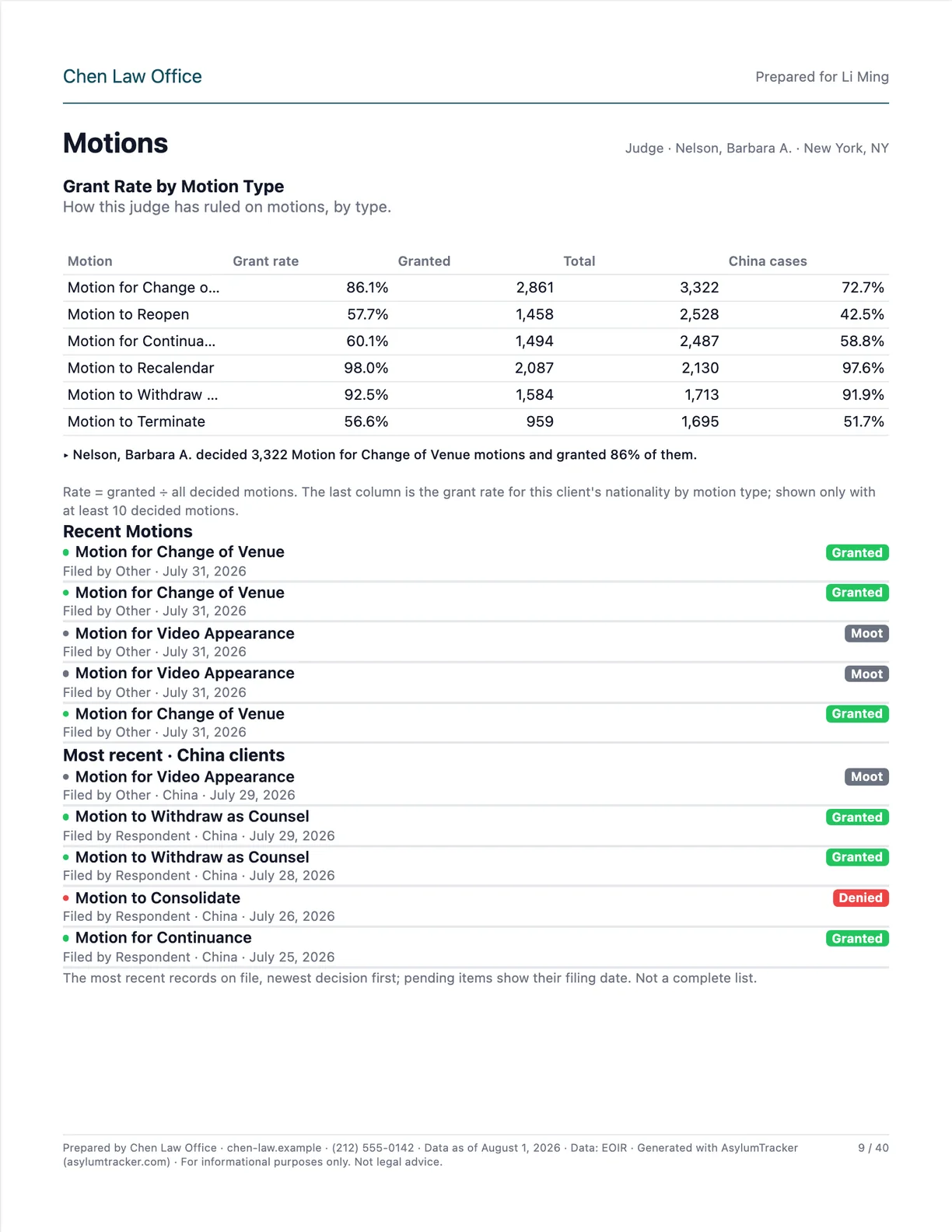 p. 9Motions
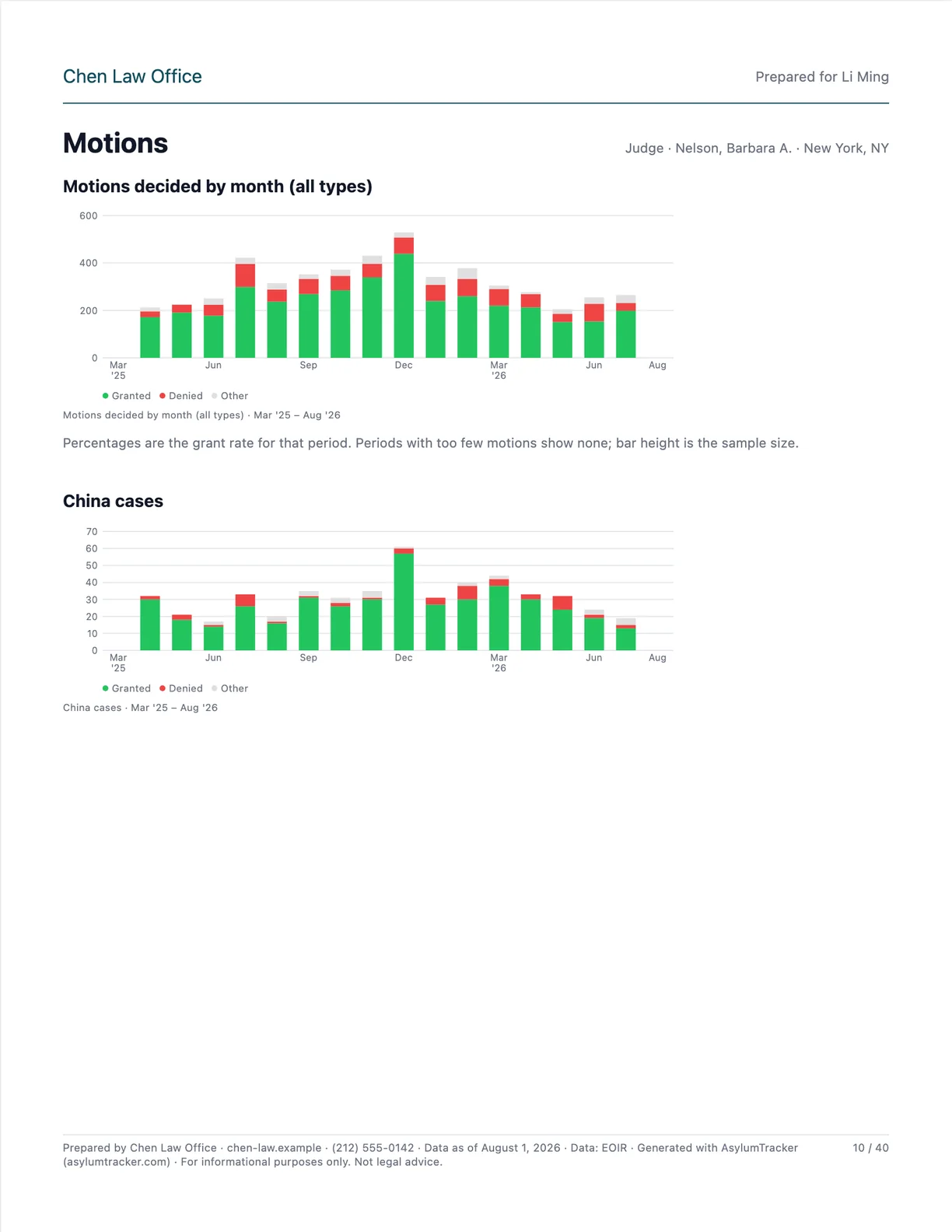 p. 10Motions
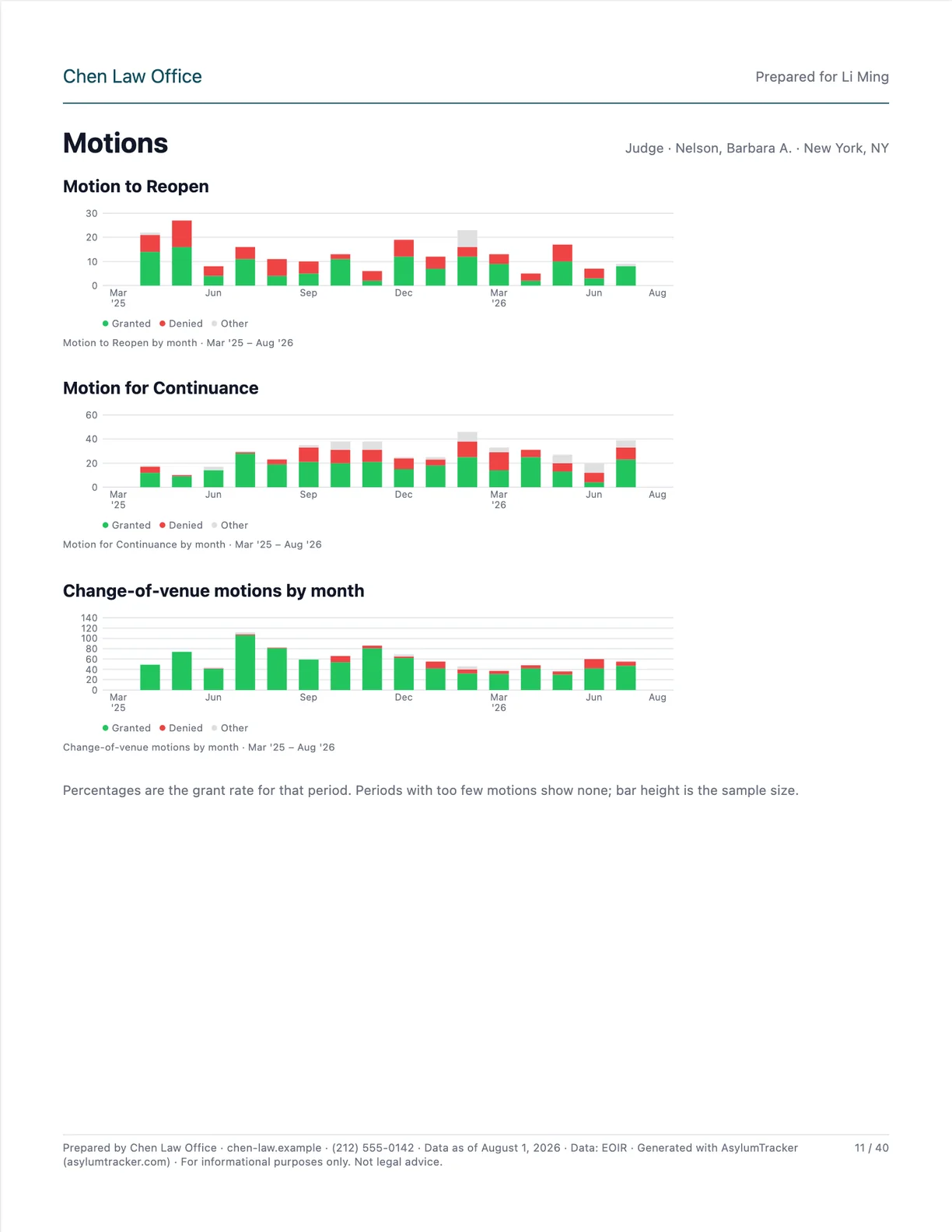 p. 11Motions
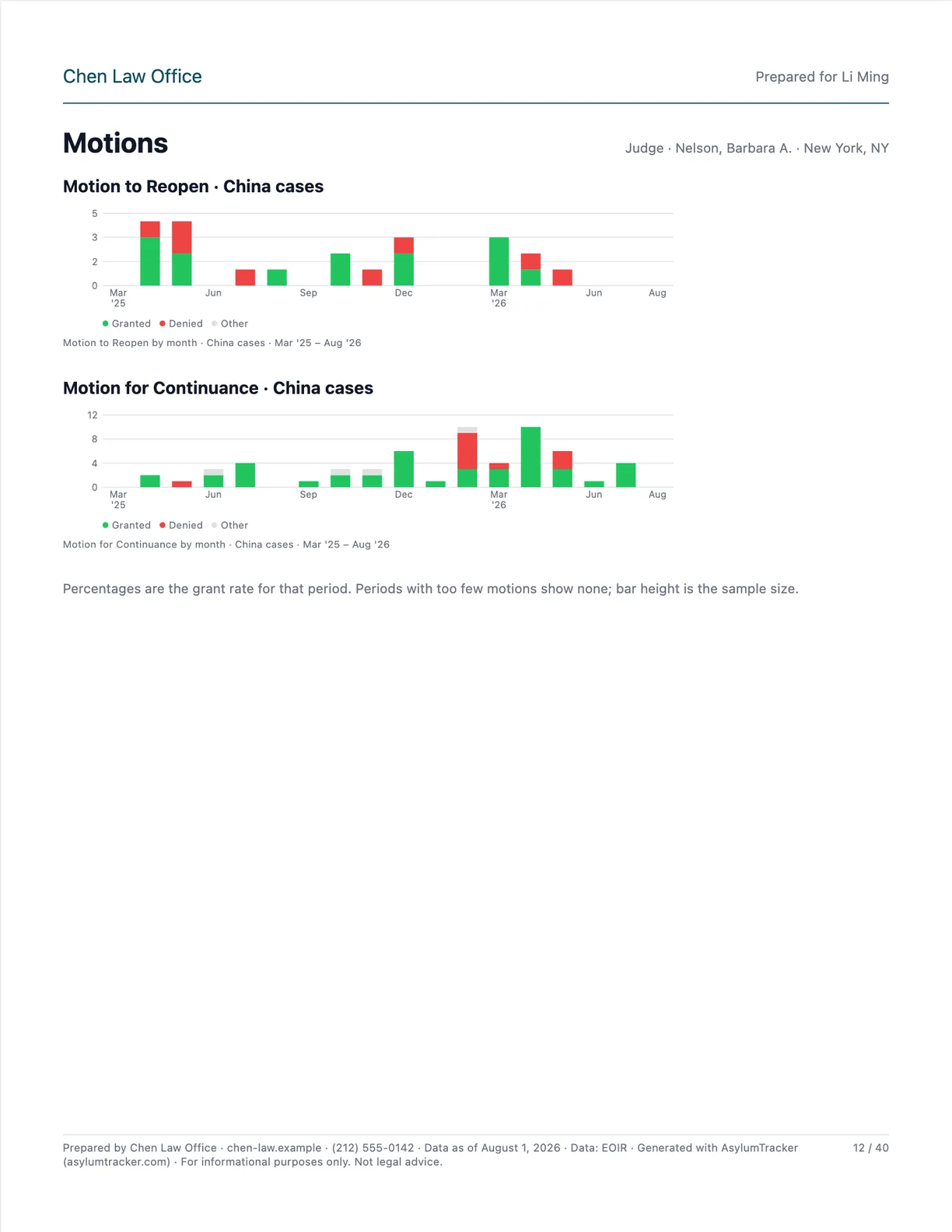 p. 12Motions
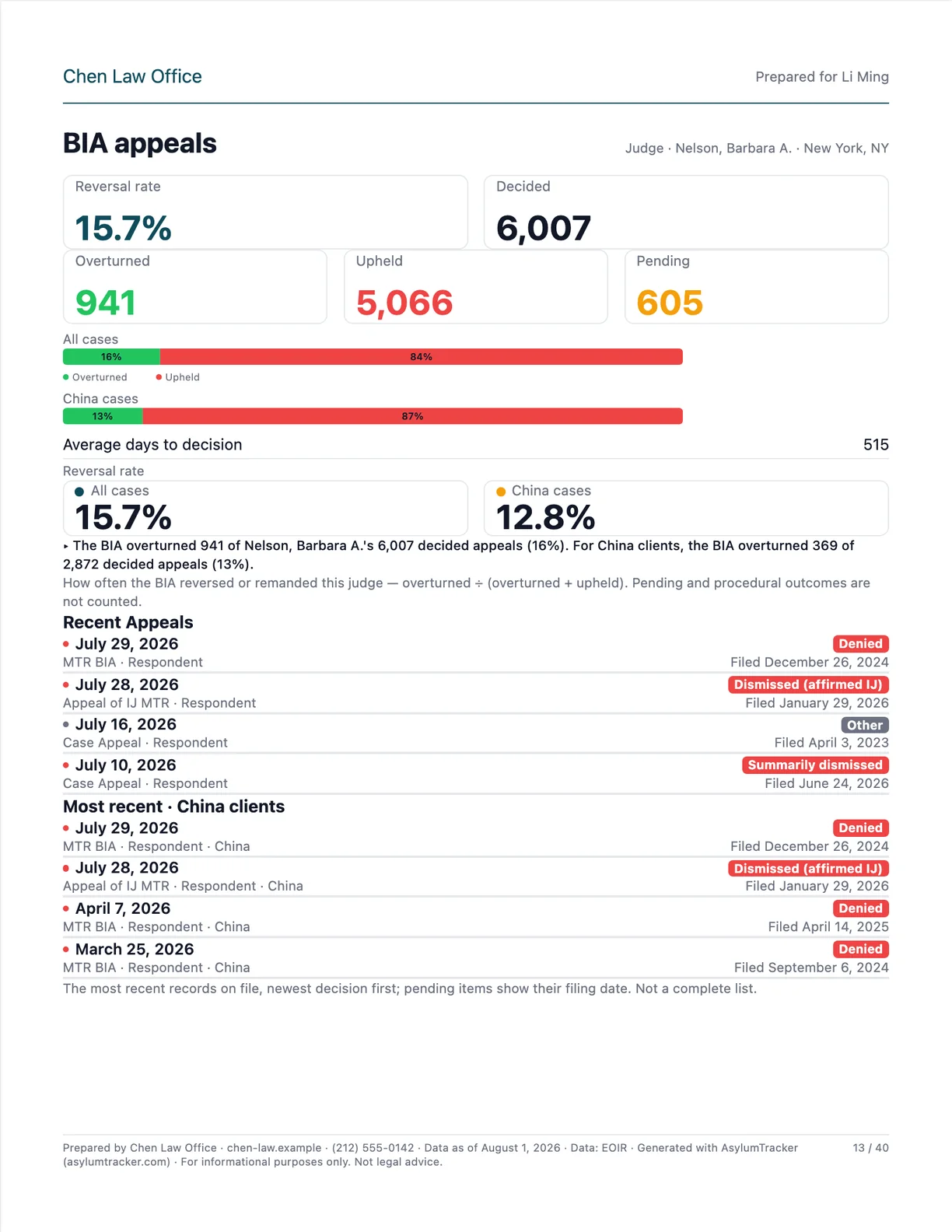 p. 13BIA appeals
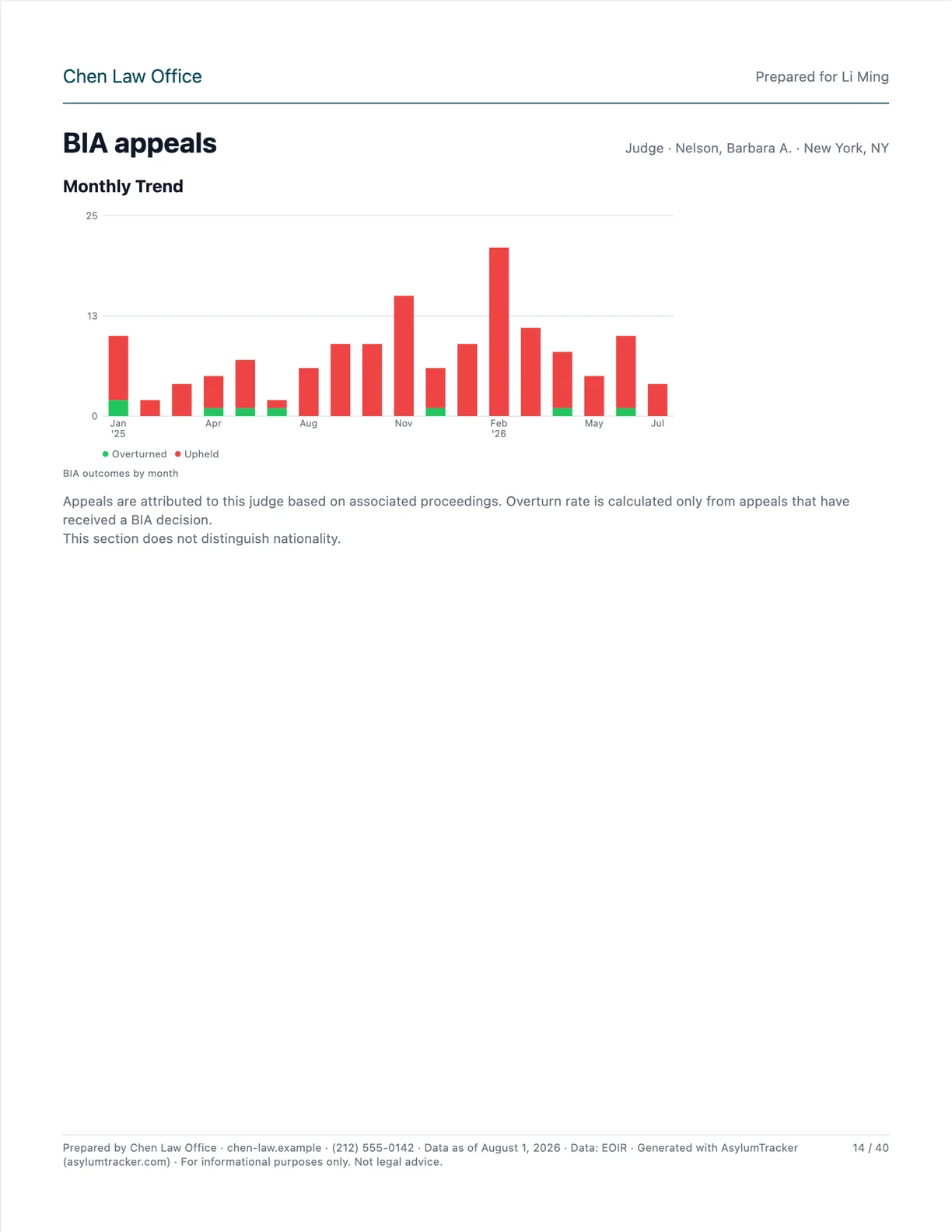 p. 14BIA appeals
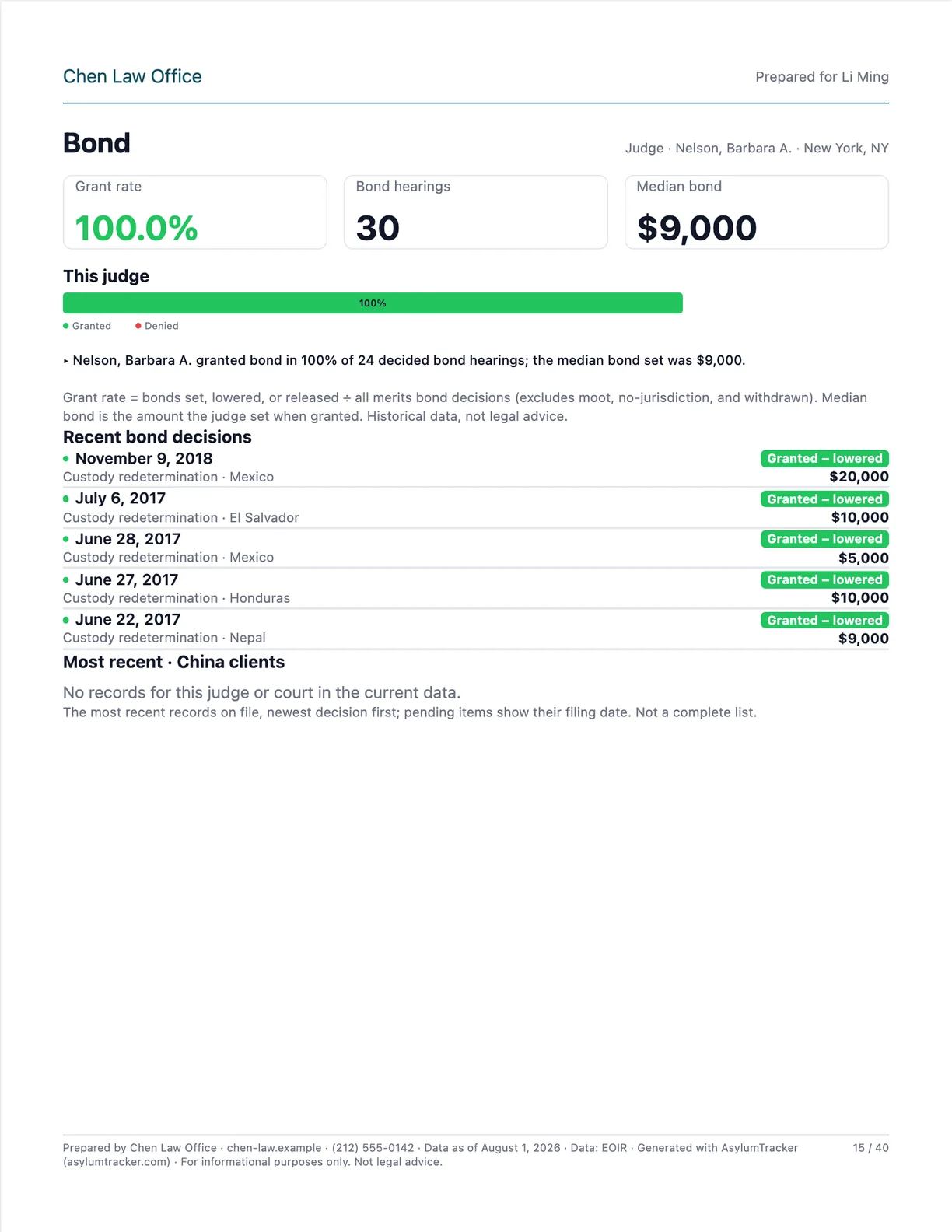 p. 15Bond
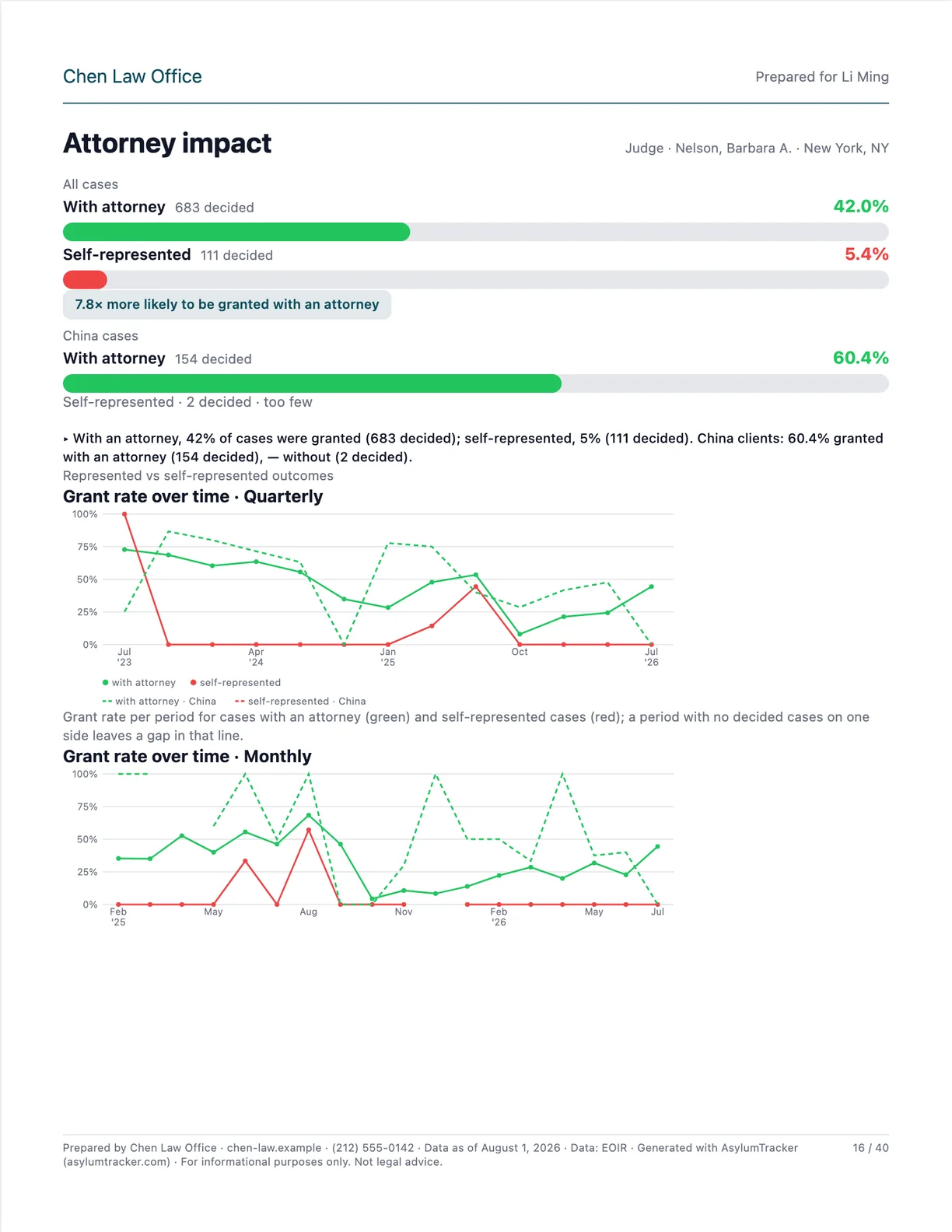 p. 16Attorney impact
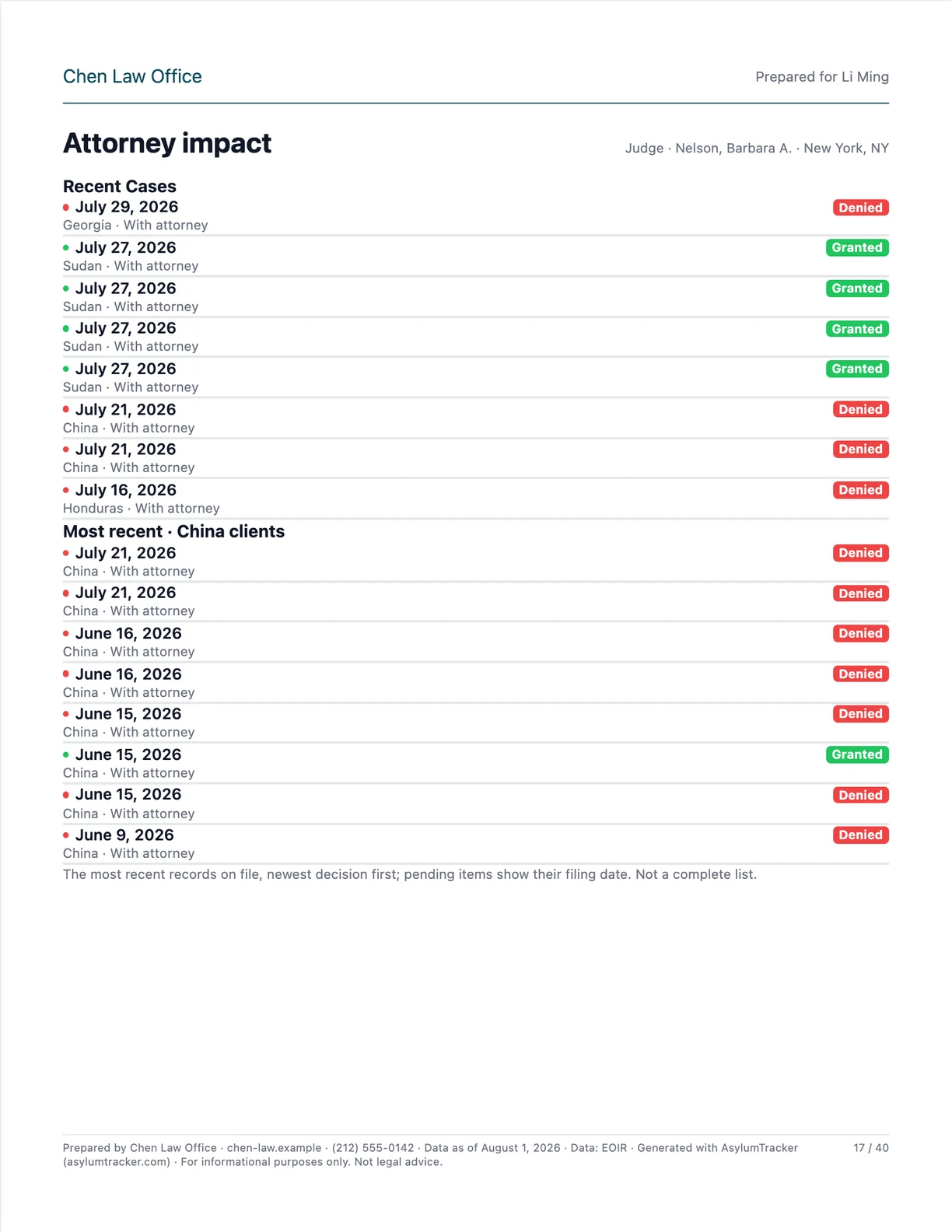 p. 17Attorney impact
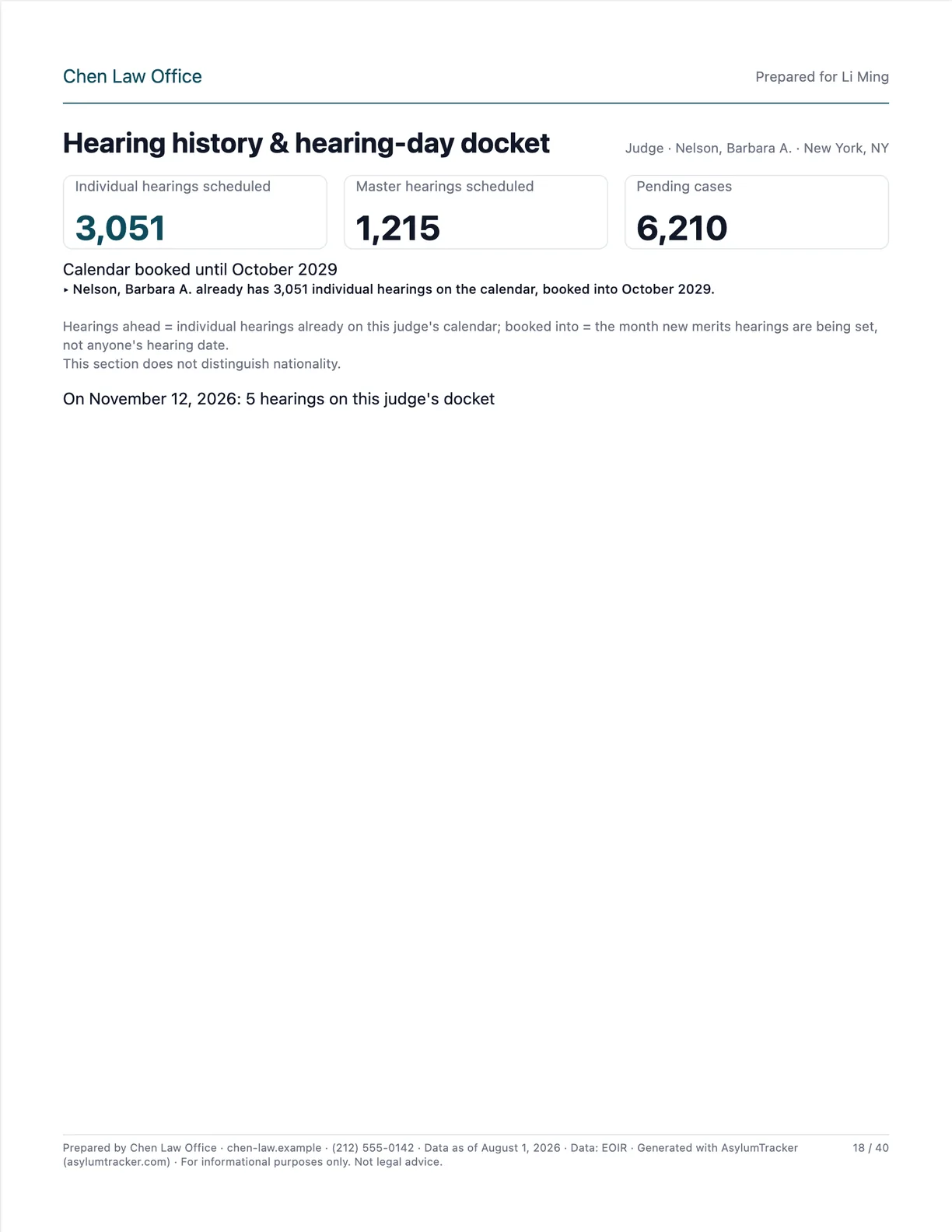 p. 18Hearing history & hearing-day docket
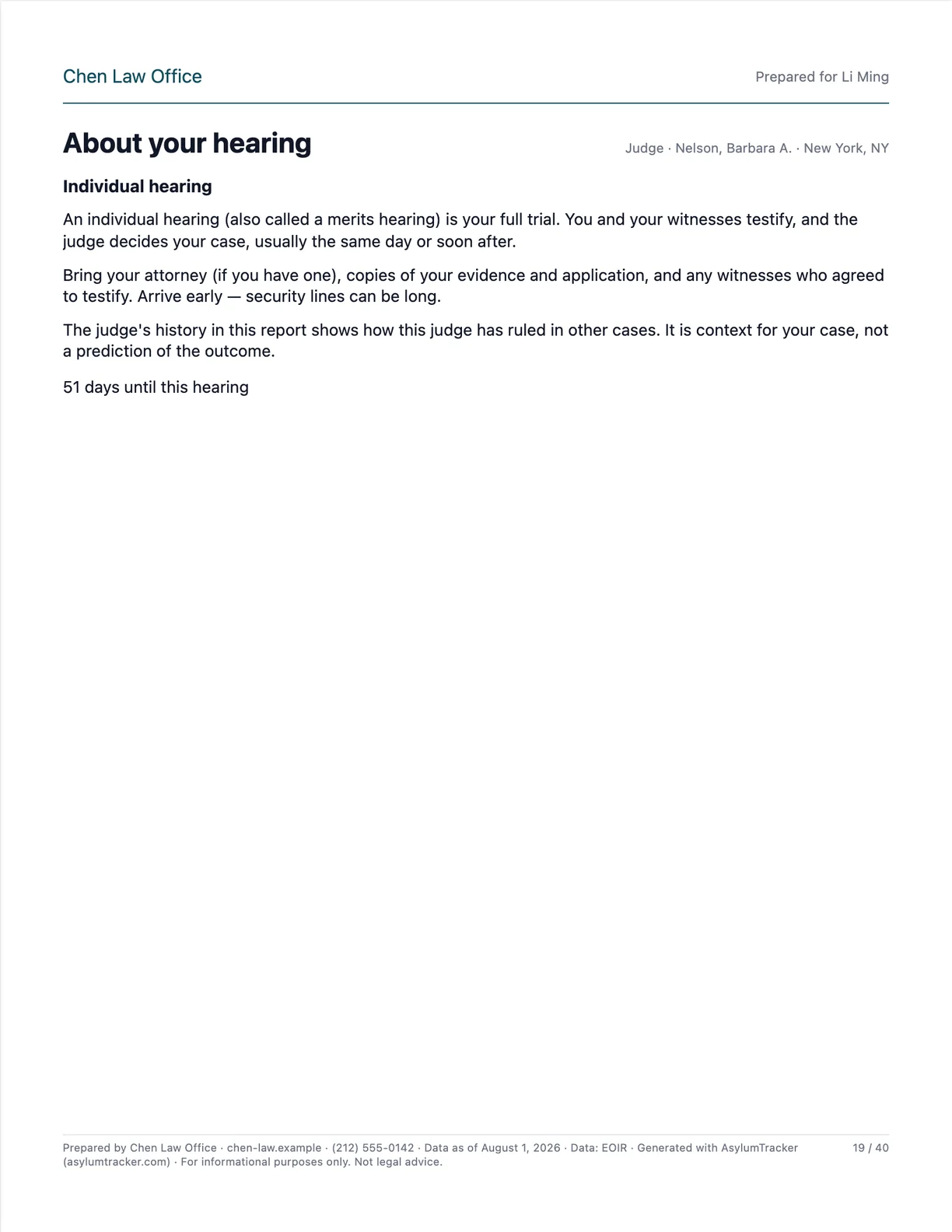 p. 19About your hearing
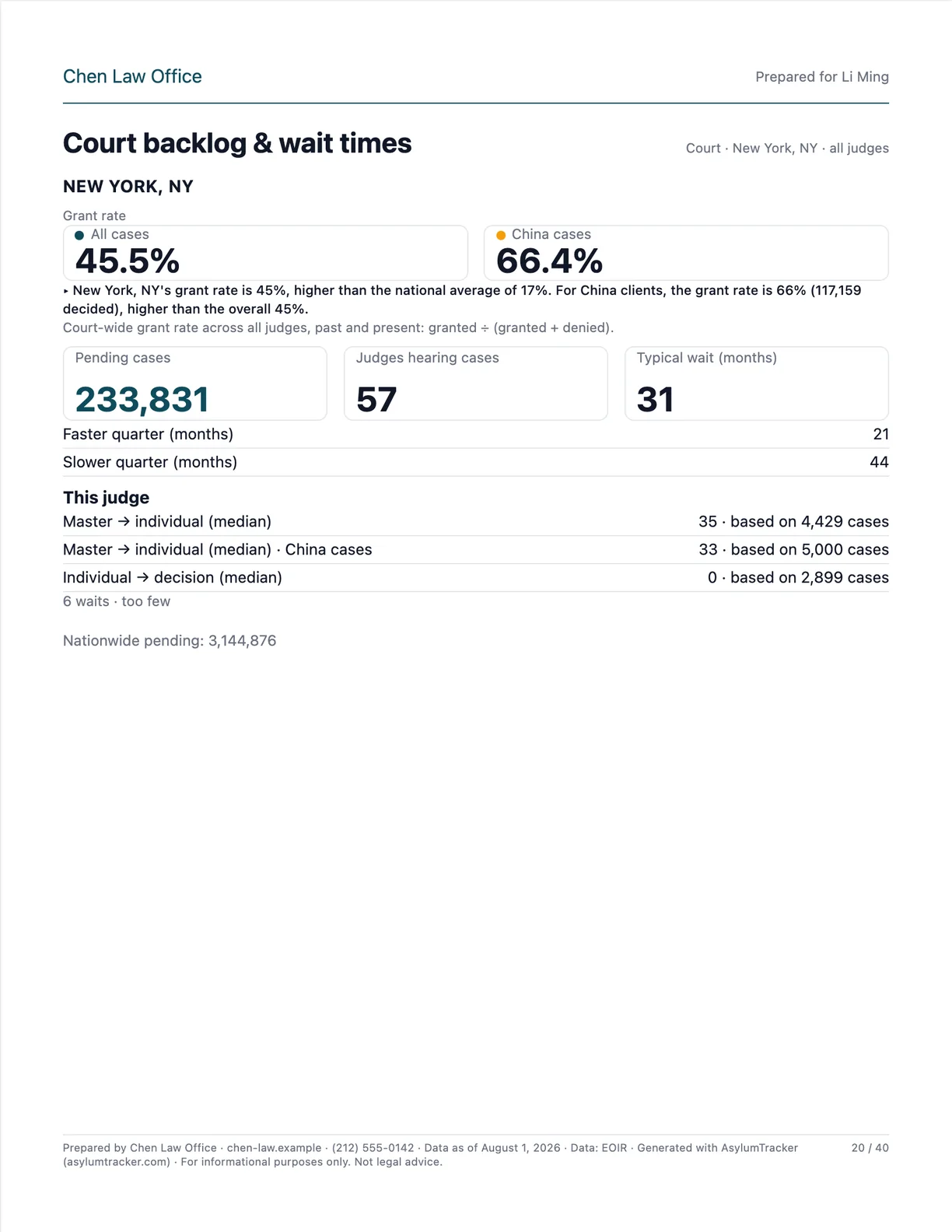 p. 20Court backlog & wait times
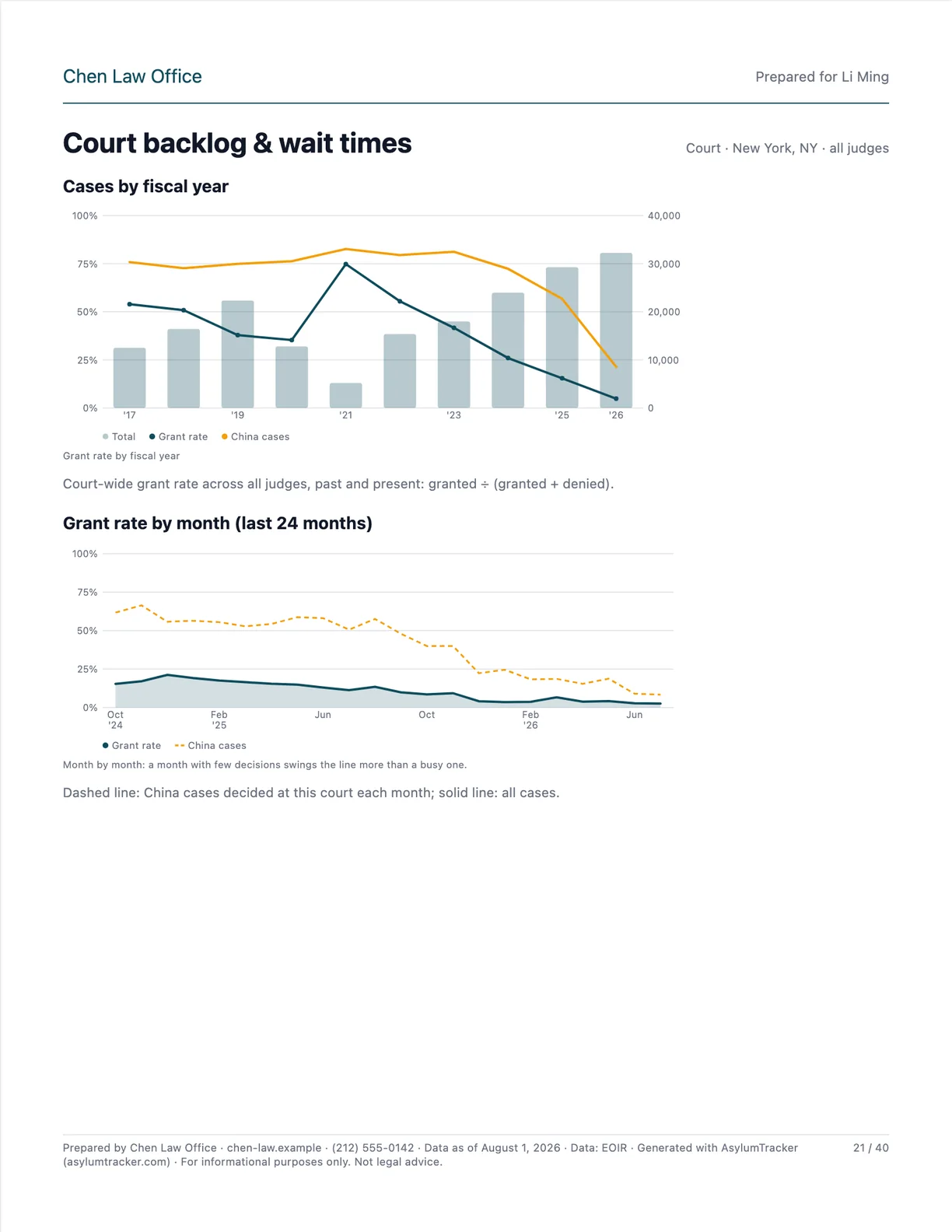 p. 21Court backlog & wait times
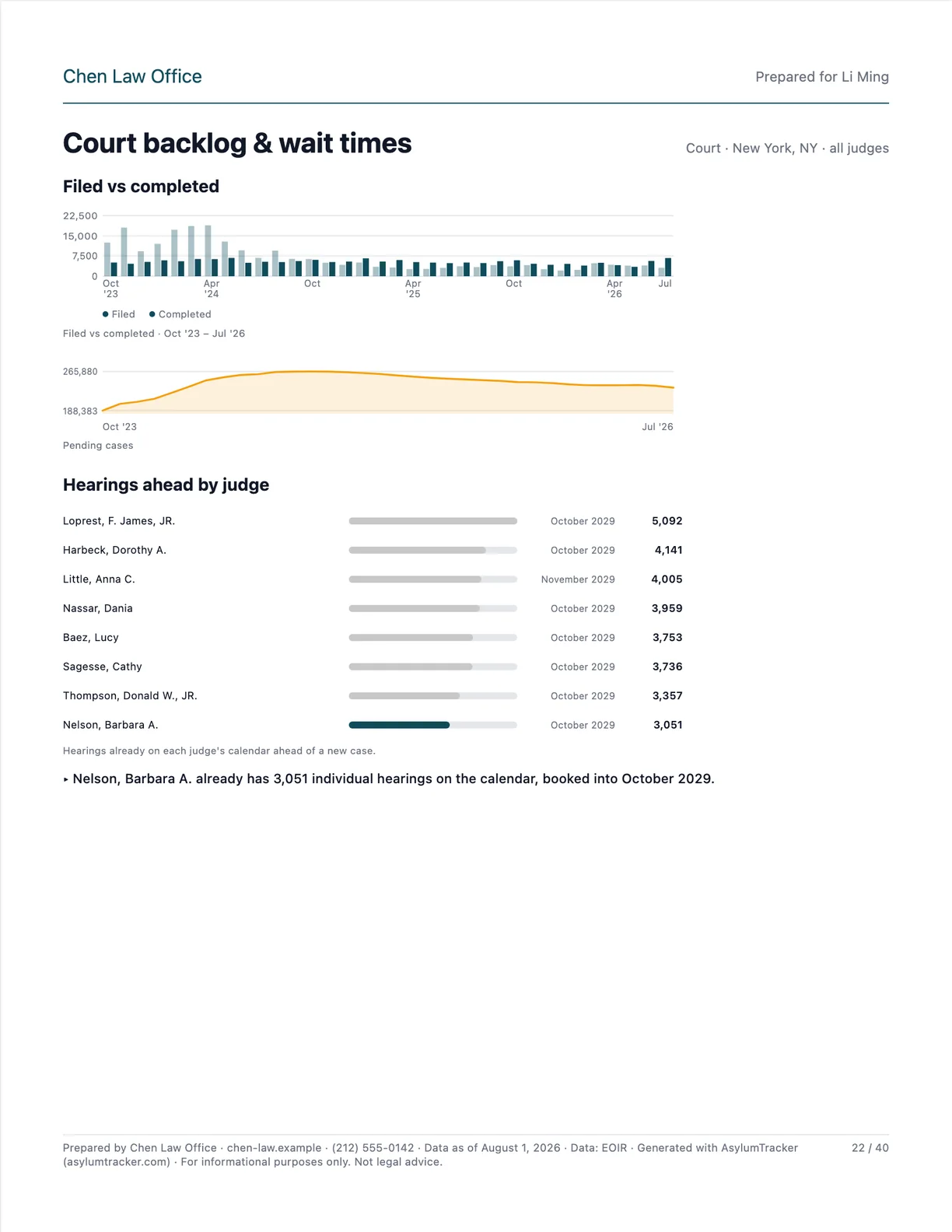 p. 22Court backlog & wait times
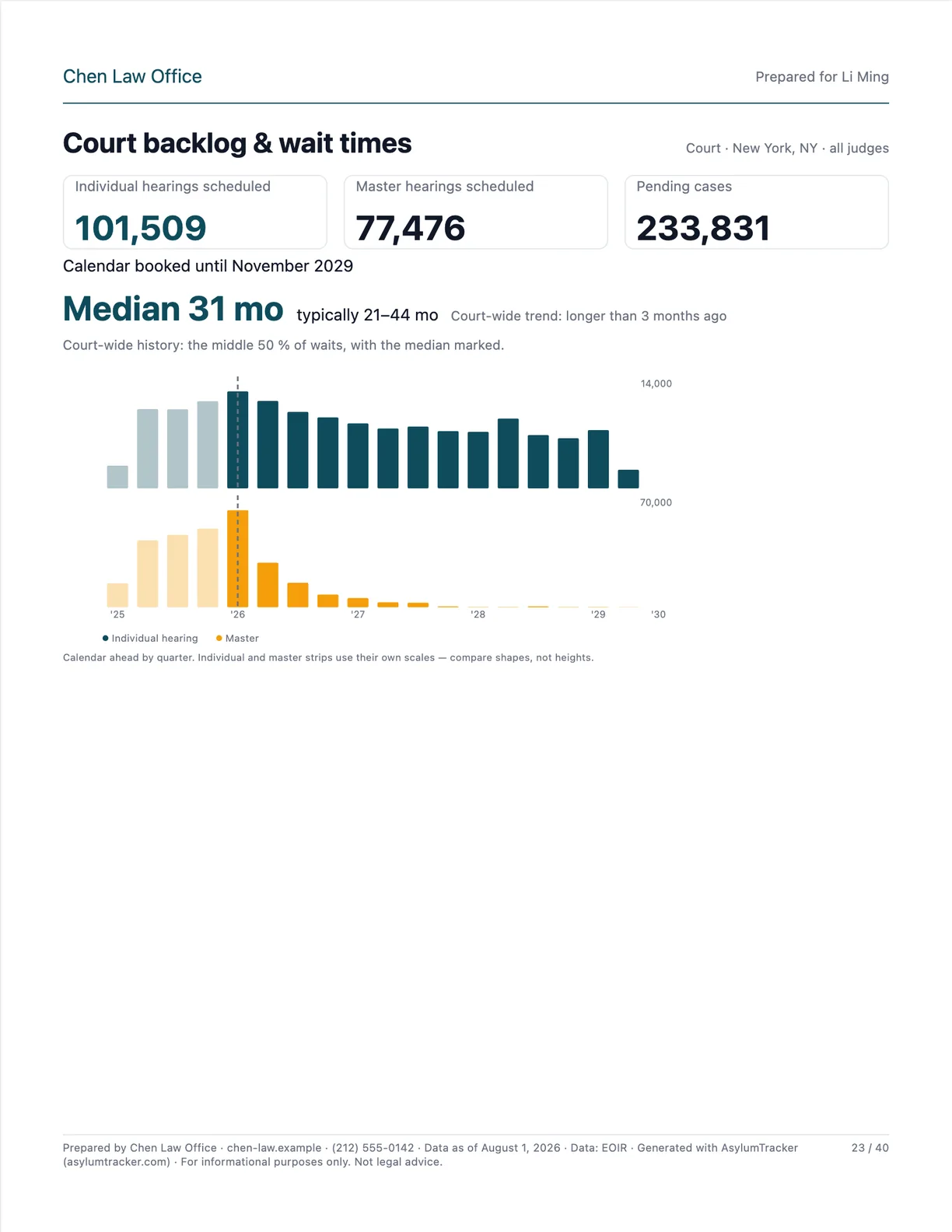 p. 23Court backlog & wait times
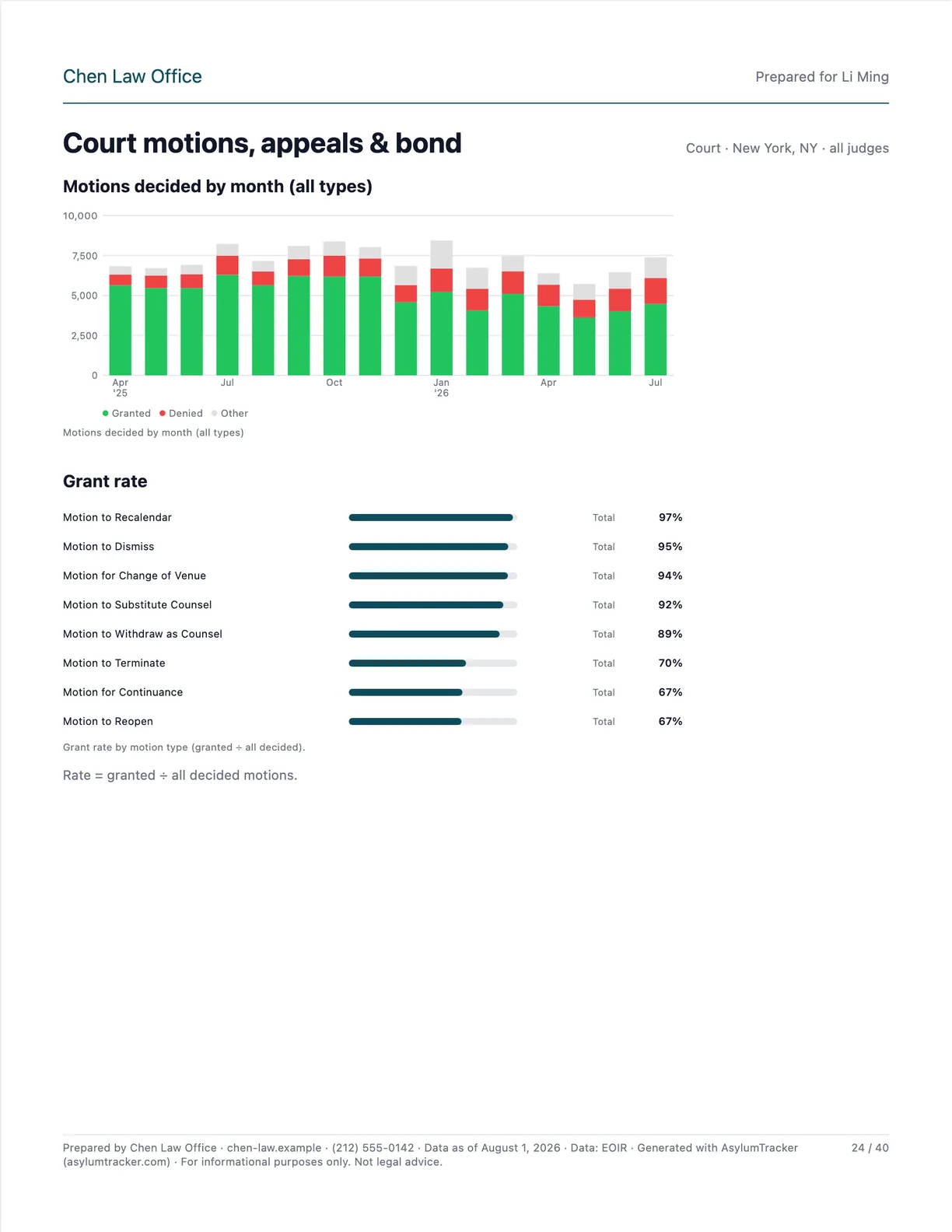 p. 24Court motions, appeals & bond
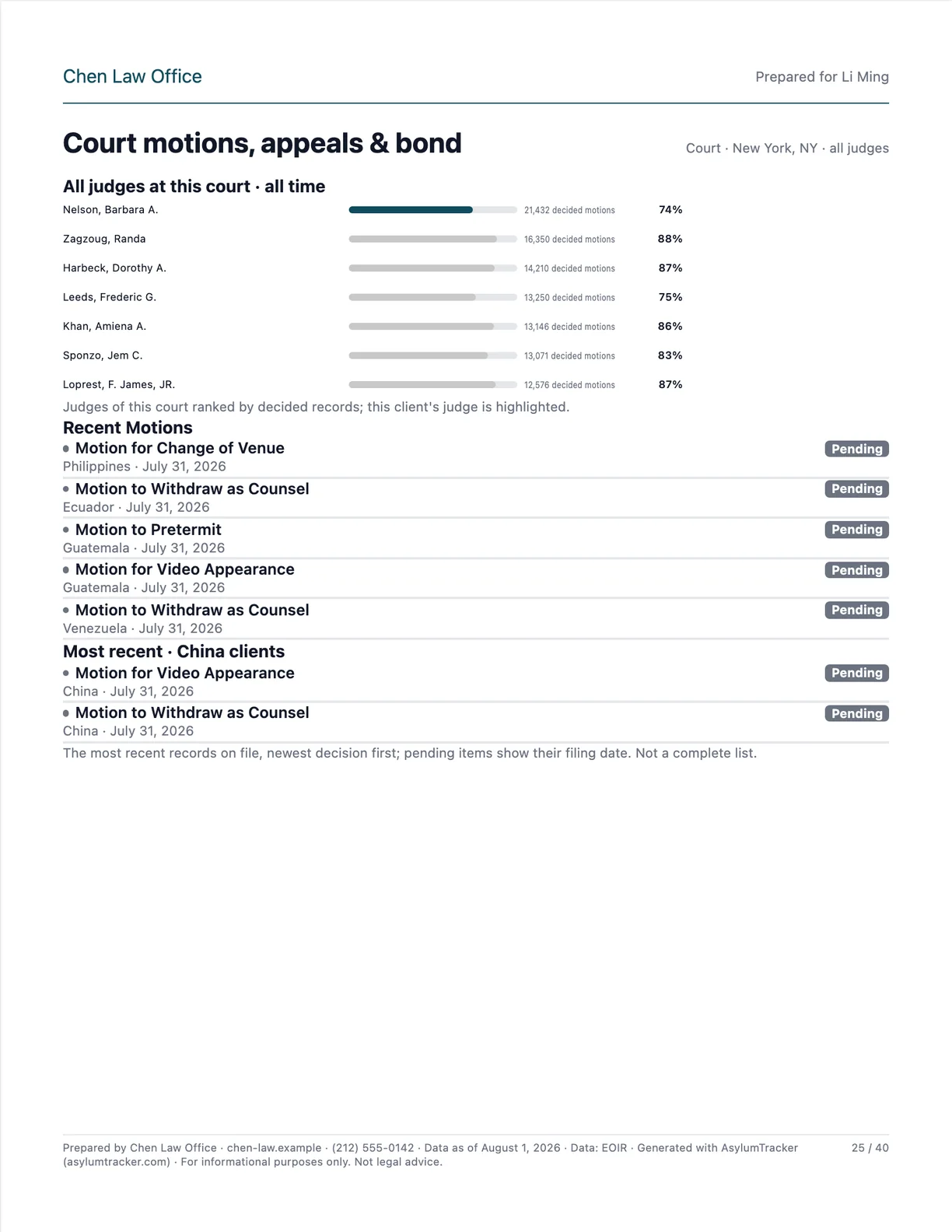 p. 25Court motions, appeals & bond
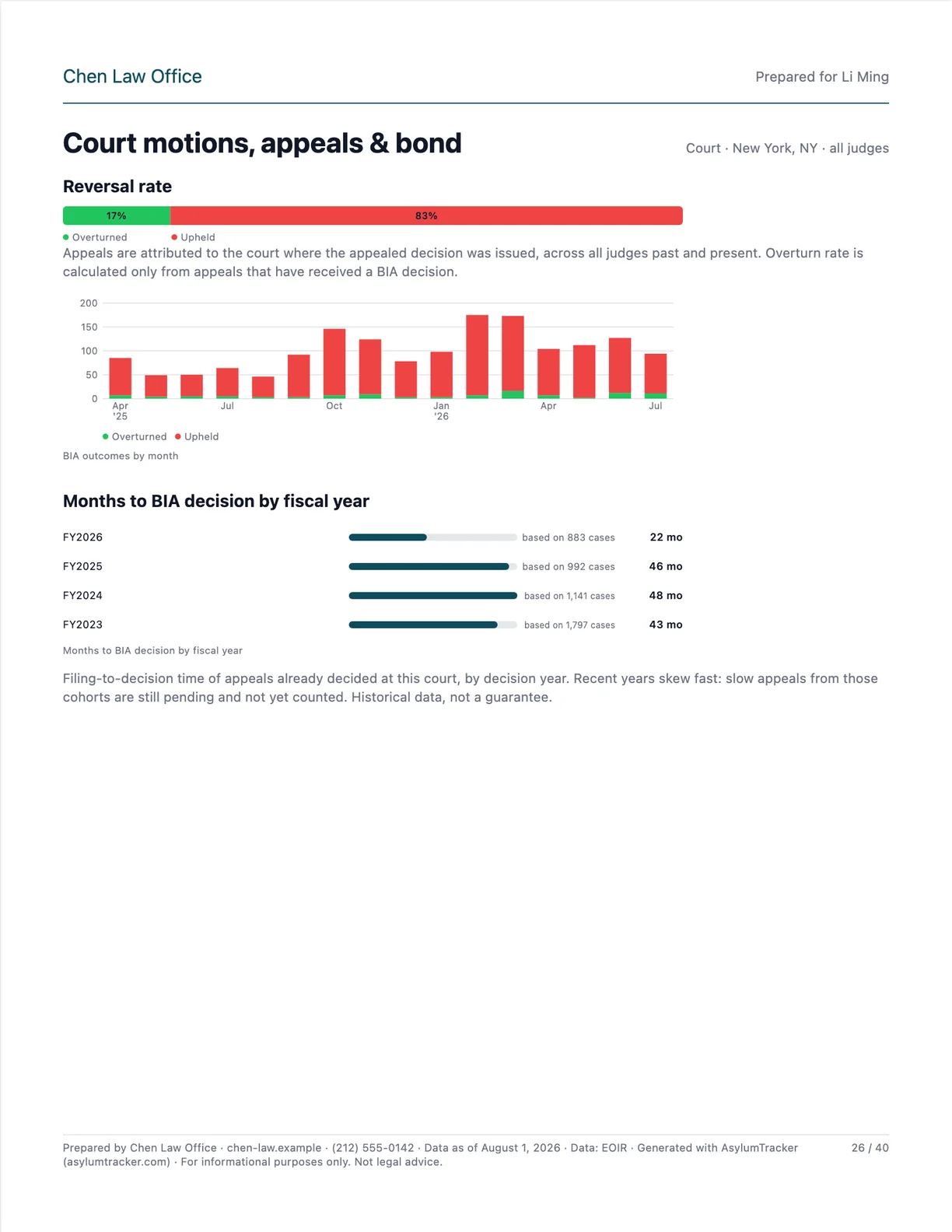 p. 26Court motions, appeals & bond
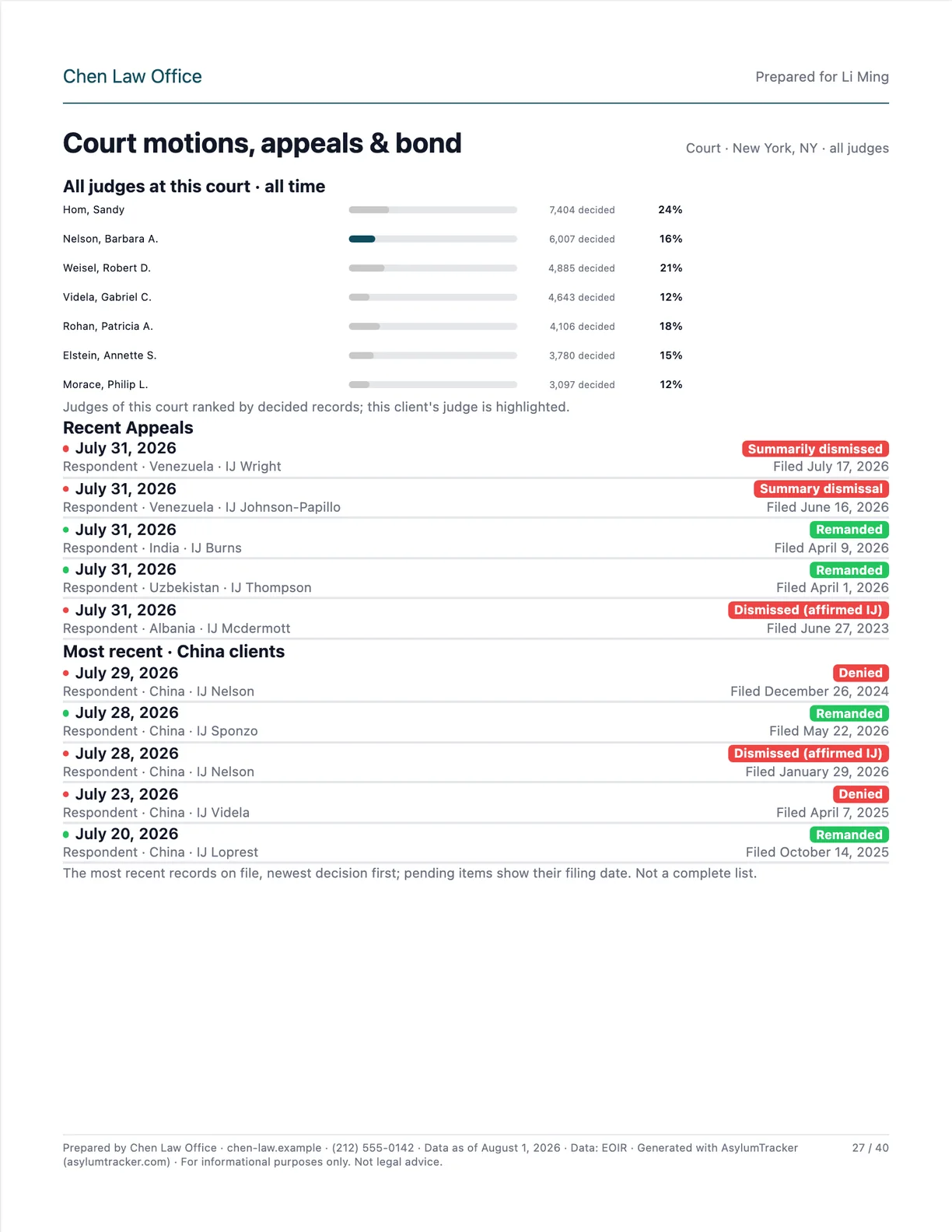 p. 27Court motions, appeals & bond
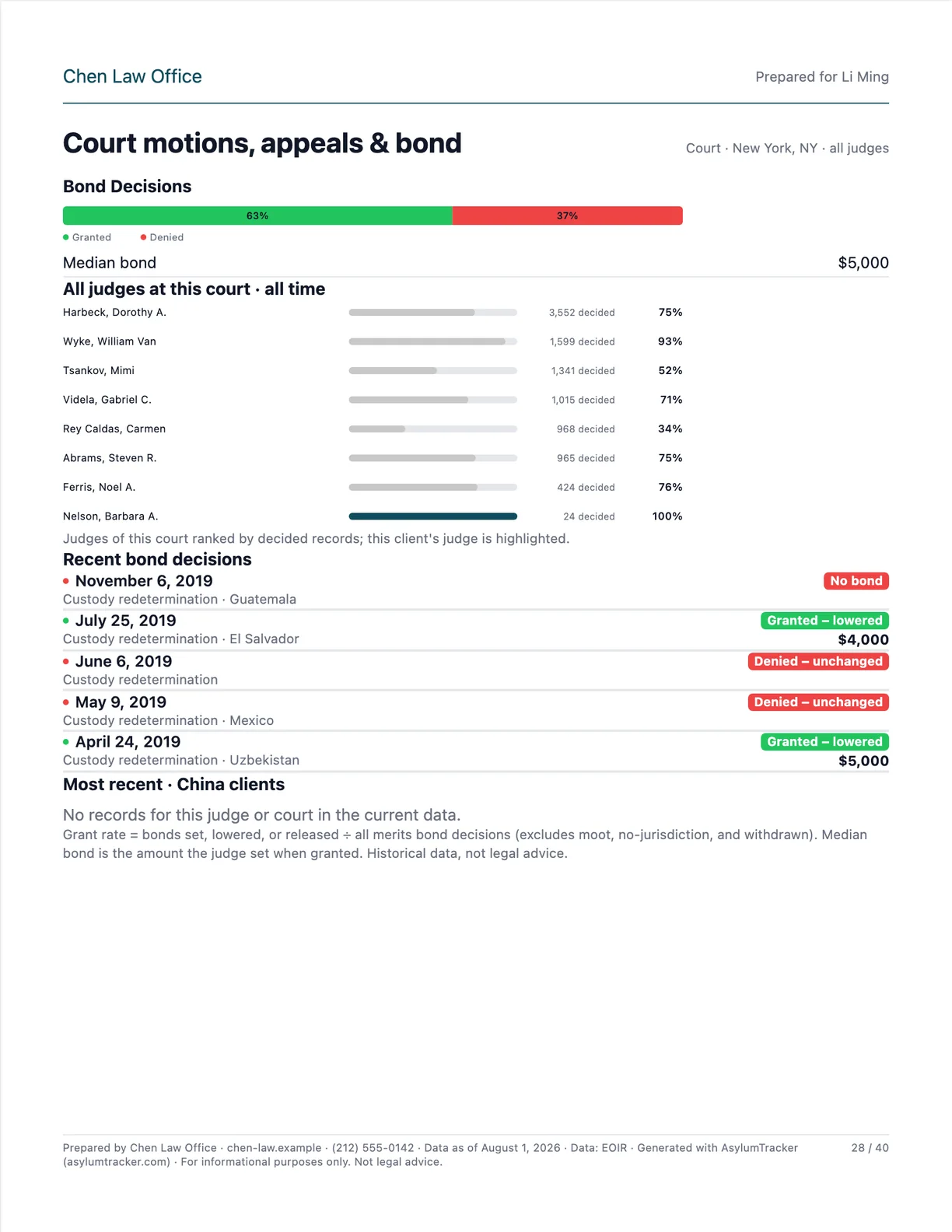 p. 28Court motions, appeals & bond
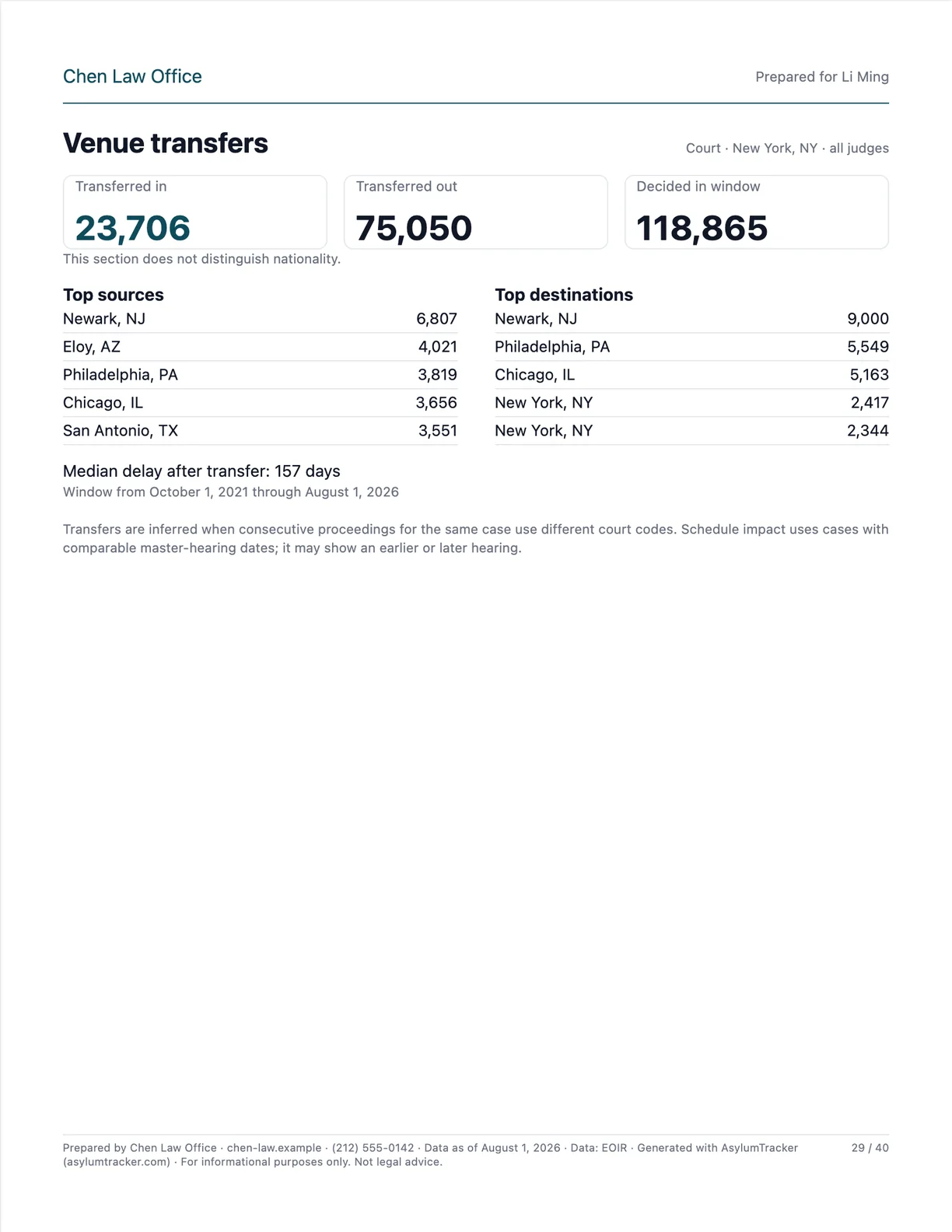 p. 29Venue transfers
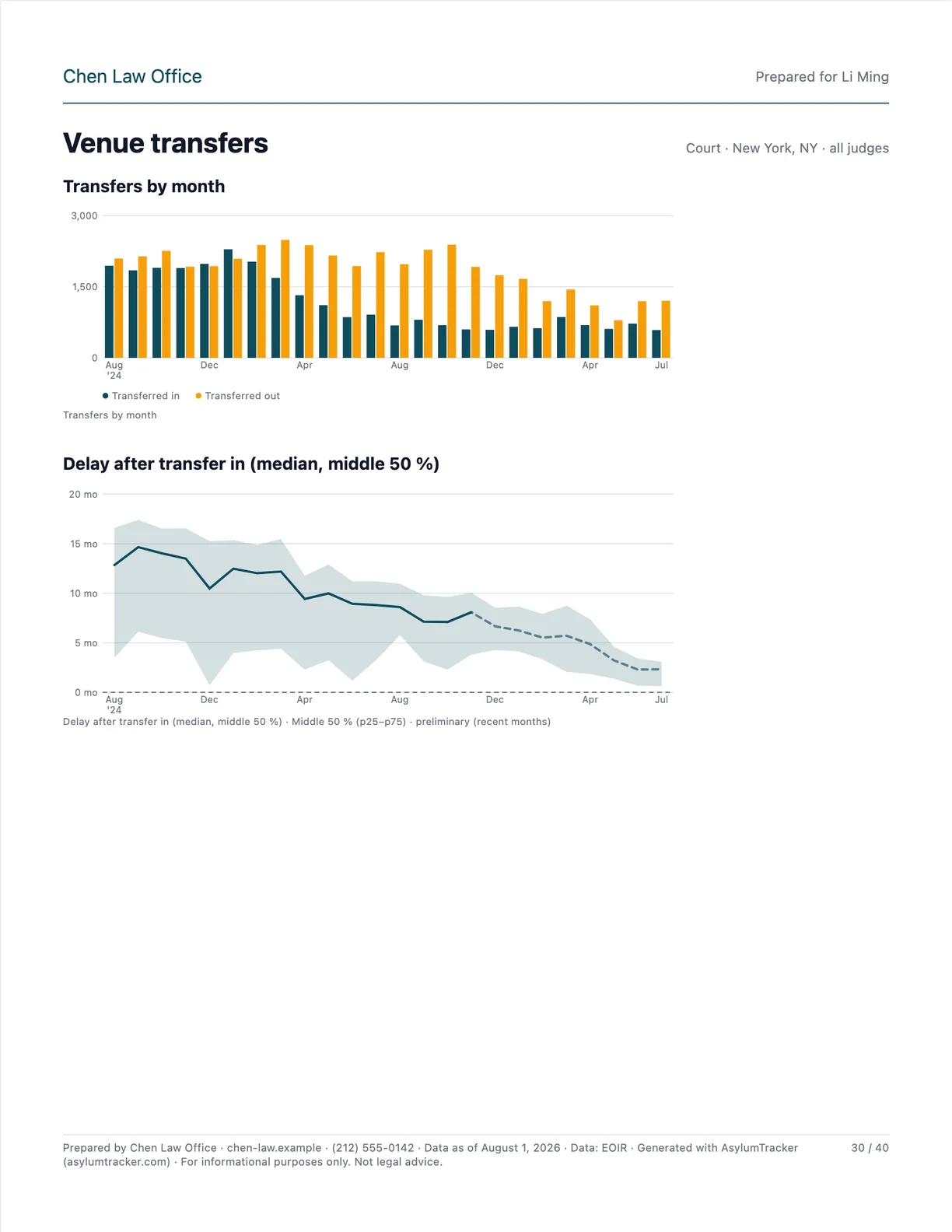 p. 30Venue transfers
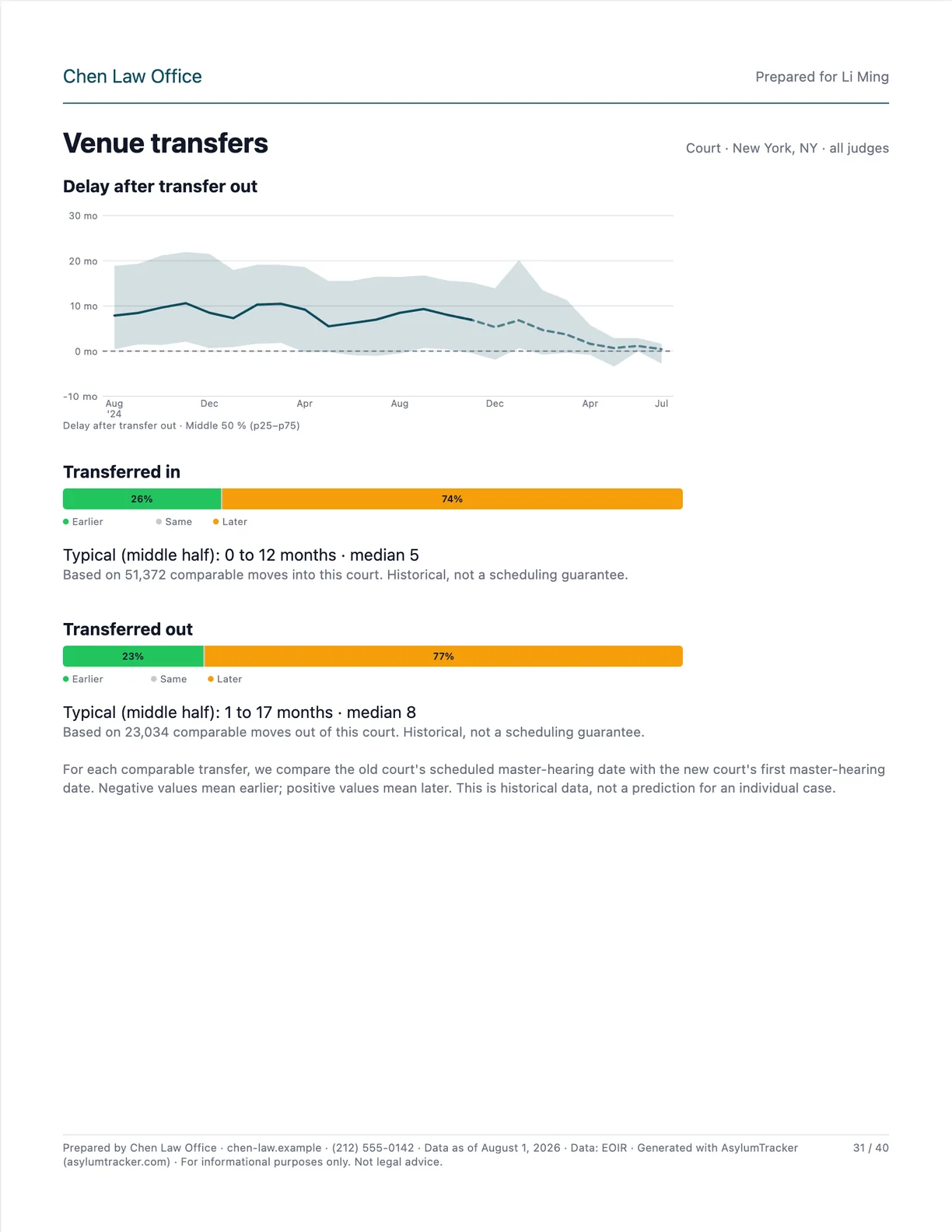 p. 31Venue transfers
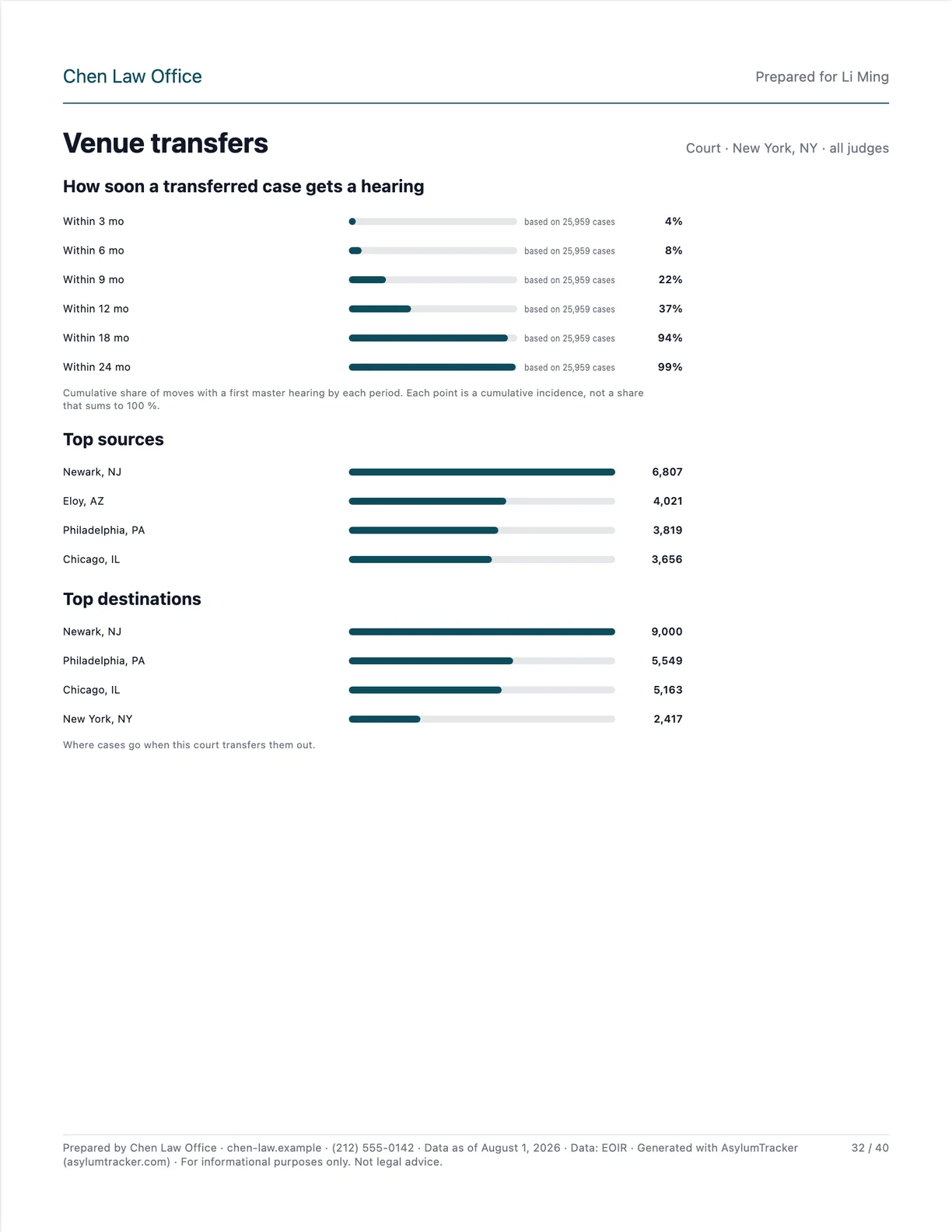 p. 32Venue transfers
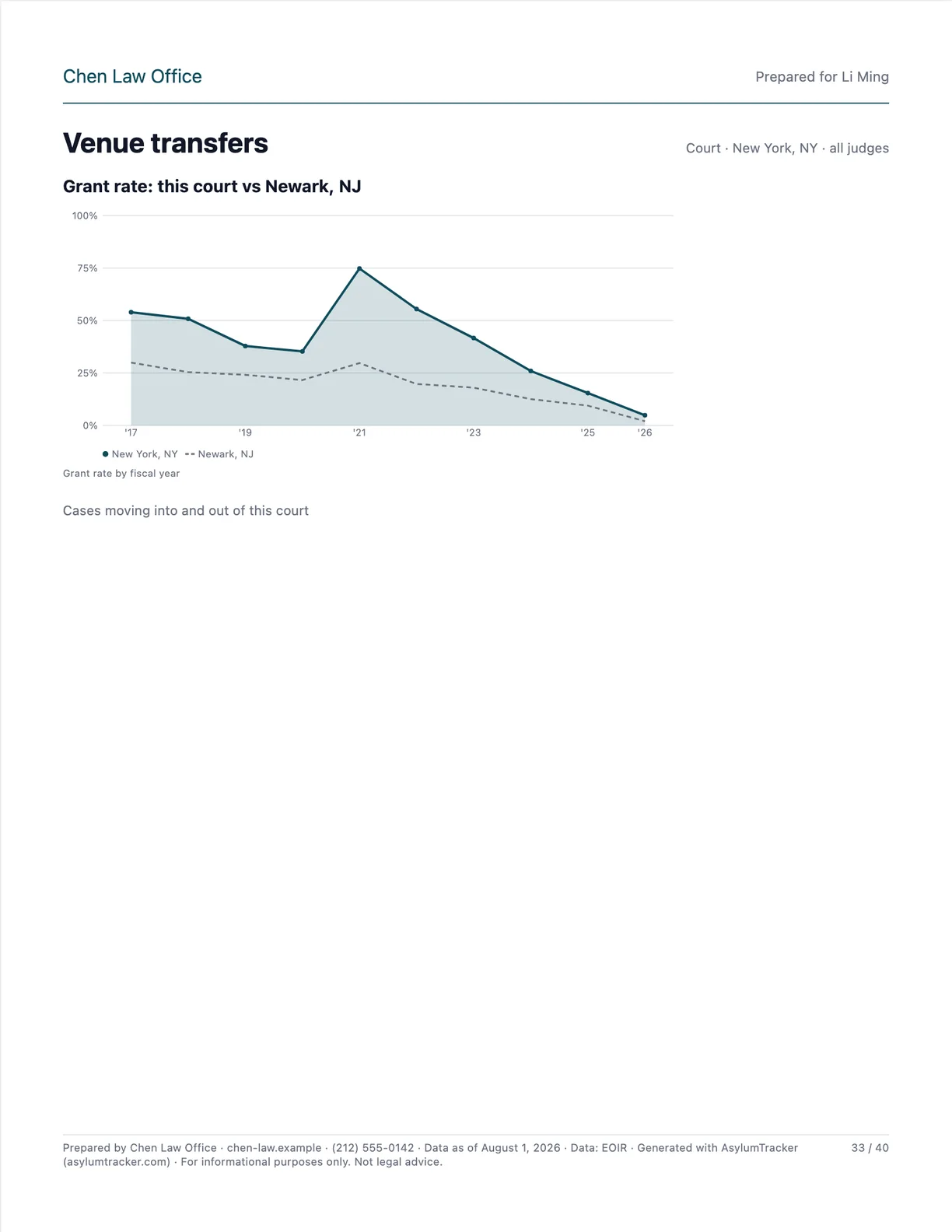 p. 33Venue transfers
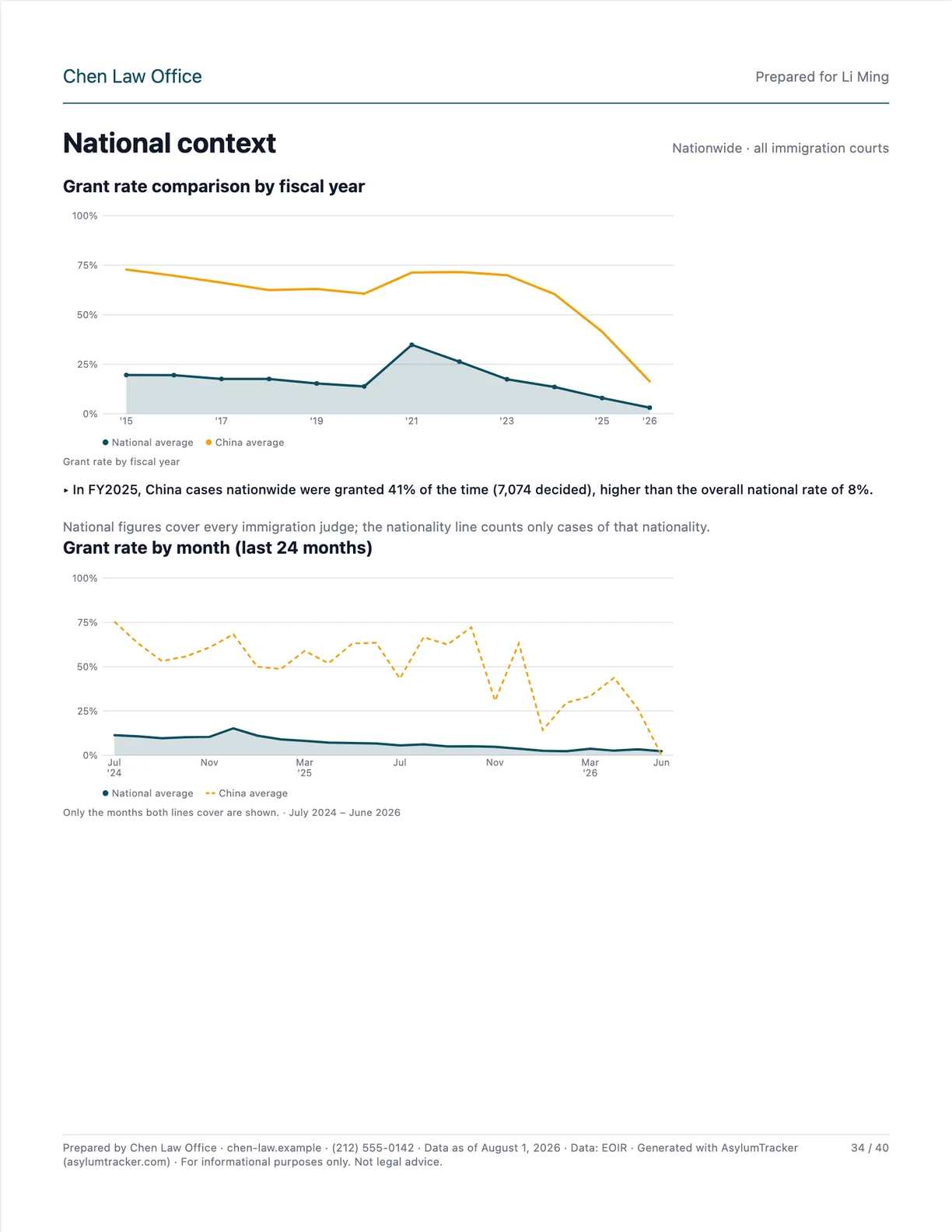 p. 34National context
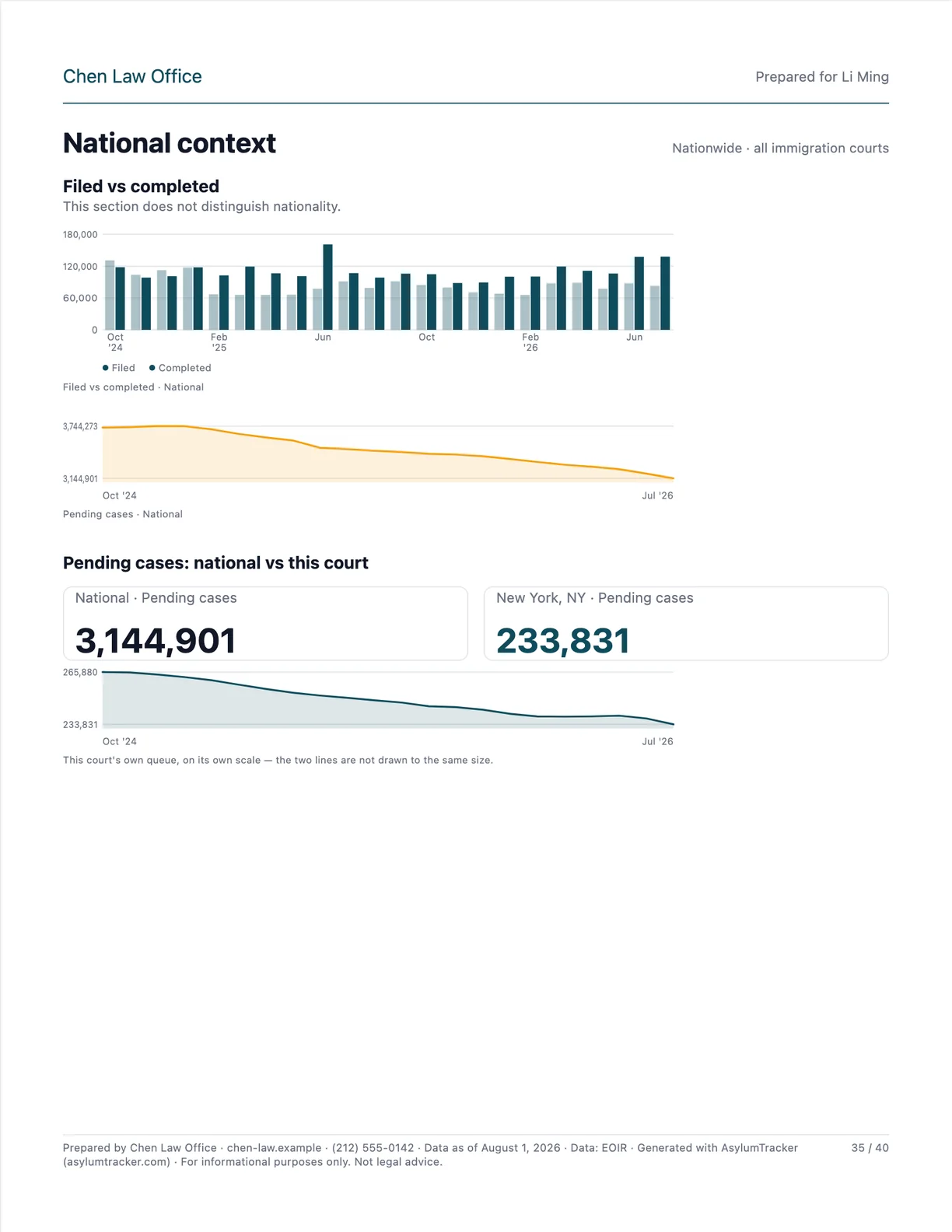 p. 35National context
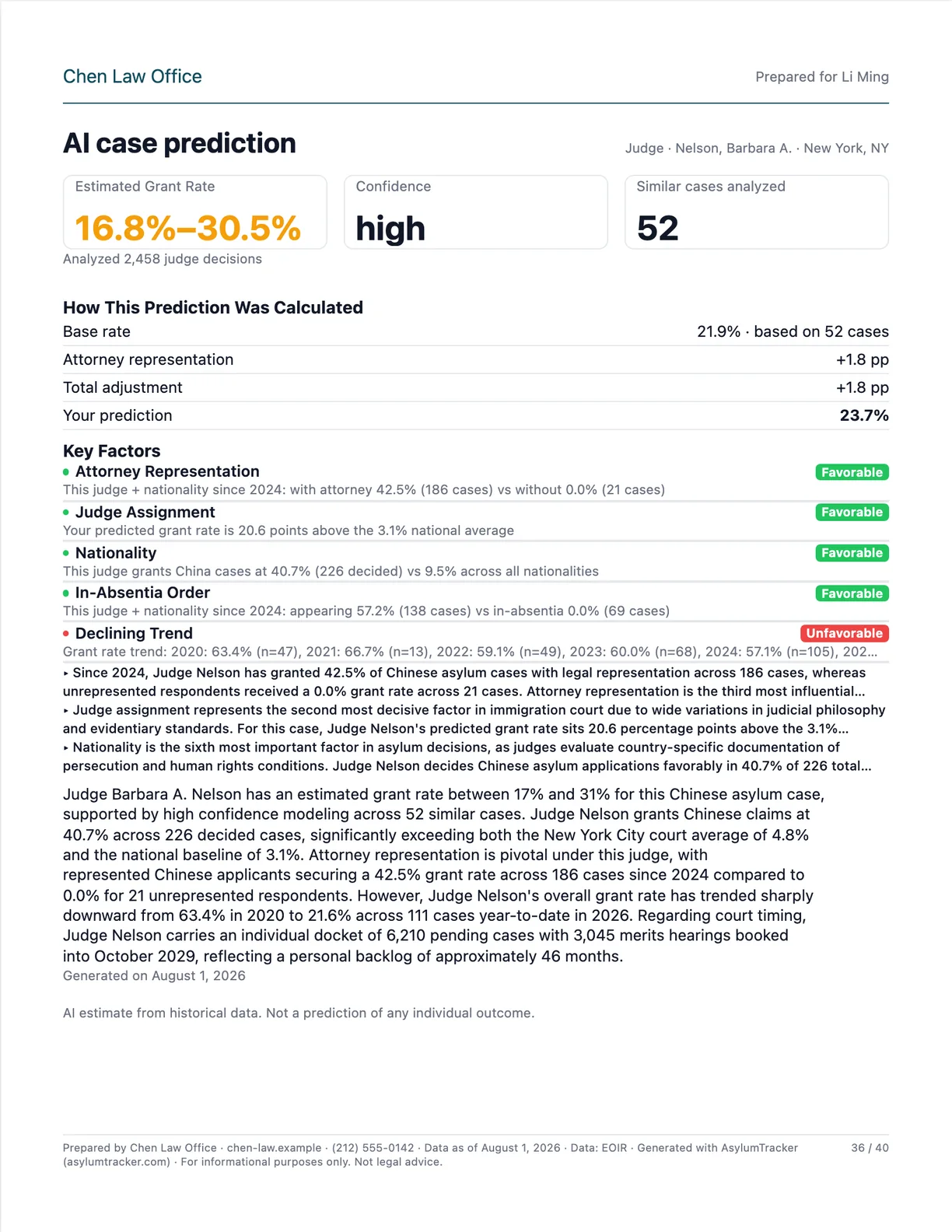 p. 36AI case prediction
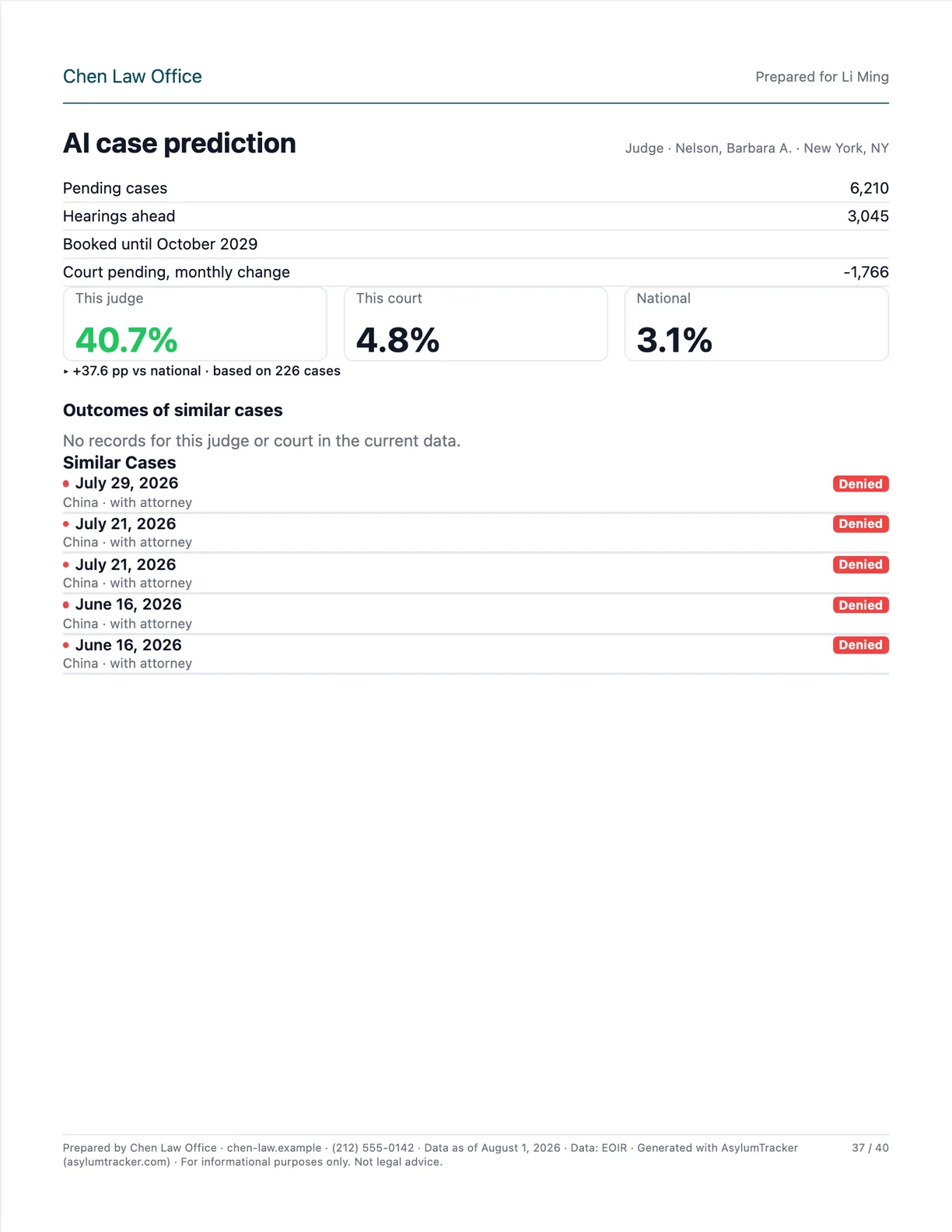 p. 37AI case prediction
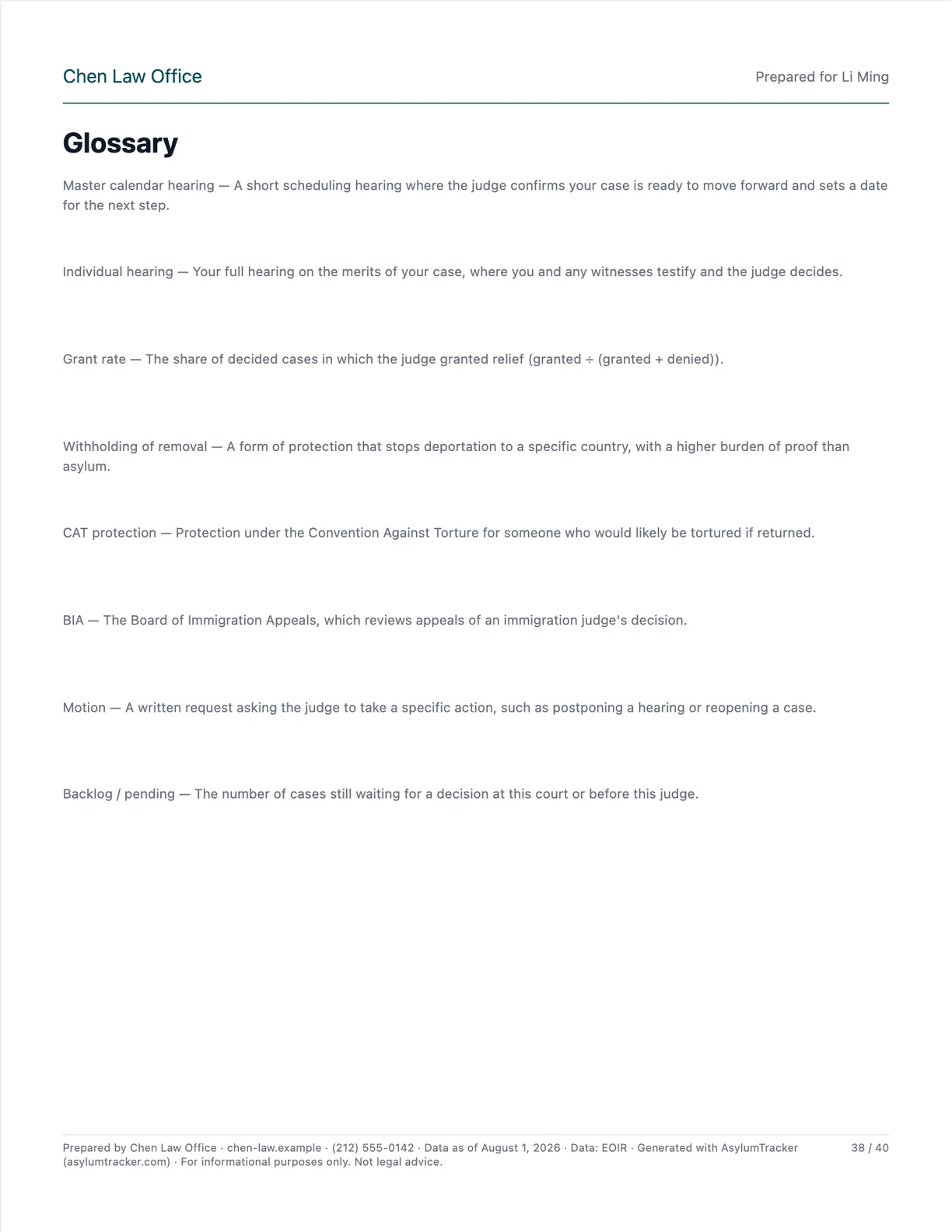 p. 38Glossary
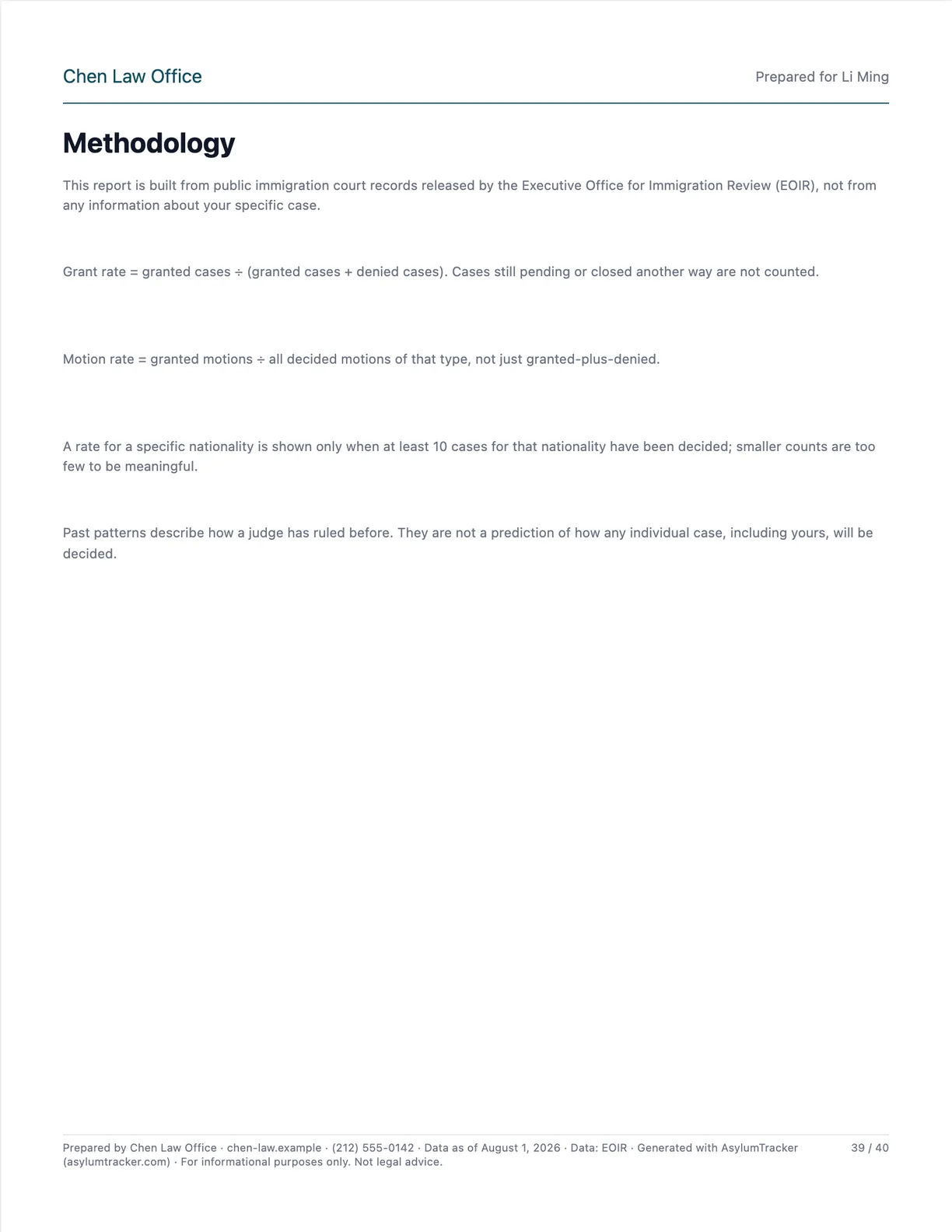 p. 39Methodology
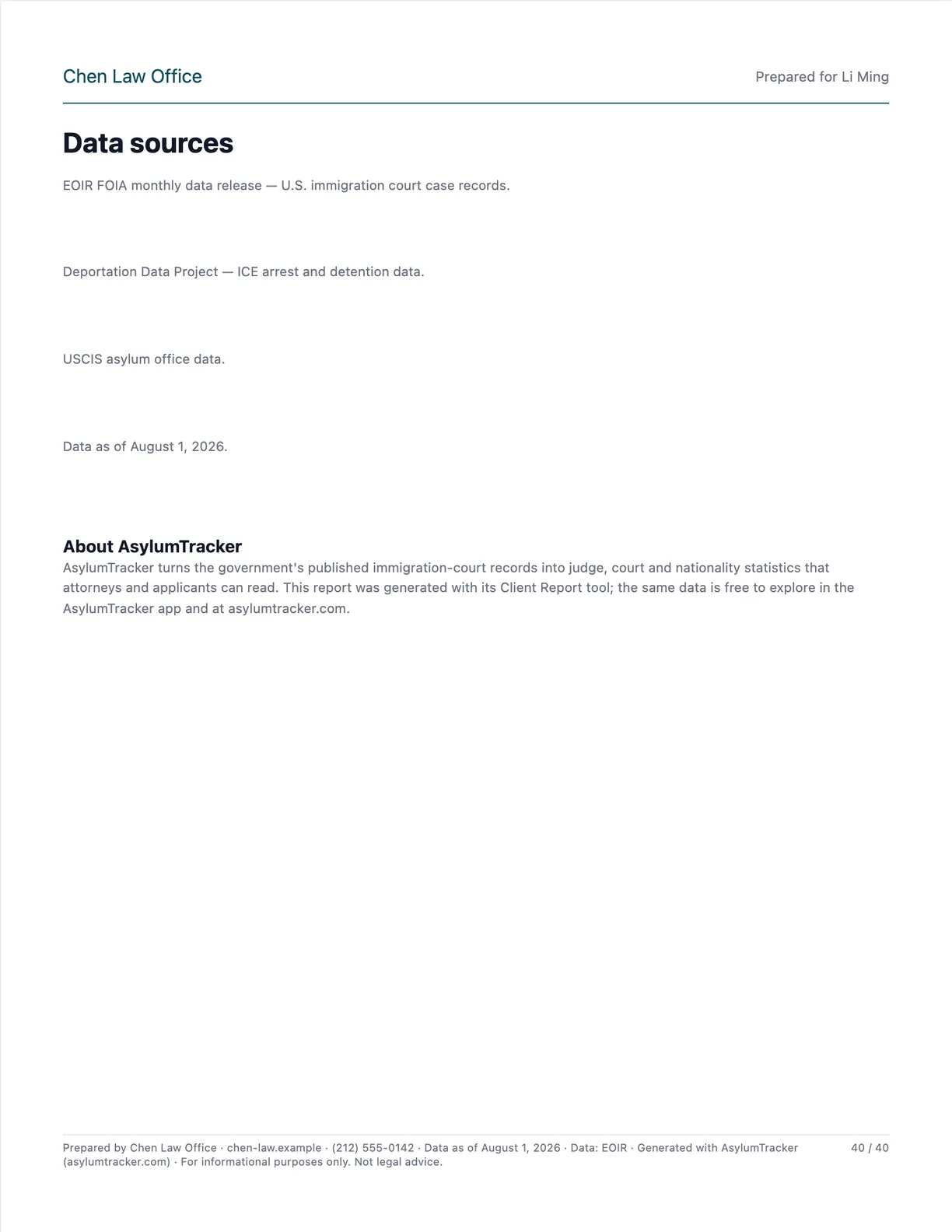 p. 40Data sources
What every report can include
Pick the chapters per client. Presets cover the common cases: Brief (4–6 pages), Standard, Attorney, Full and Detained.
Three steps
Enter the client
Court and judge, nationality, hearing type and custody status. Save clients to come back to them.
Preview free
Every page renders in your browser. Numbers and charts stay blurred until you export.
Export the PDF
Sign in with your email — no password — and export for one credit. The same report re-exports free while the data is current.
Pay per report
Buy credits once, spend one per export. No subscription.
Credits bought on the web are used on the web; the AsylumTracker iOS app sells its own report packs.
Your letterhead, your language
- Firm name, logo and contact line on every page
- Letter or A4; optional DRAFT / CONFIDENTIAL watermark
- Report language: English, Spanish, French, Portuguese, Hindi, Chinese, Russian, Arabic or Turkish
- Presets you save, exportable as JSON to share with colleagues
- Anonymized sample copy, or the summary page as a PNG
Questions
Who is it for?
Attorneys and accredited representatives preparing a client for a hearing, consultants, and anyone who wants their judge's record on paper.
Where does the data come from?
EOIR's published case data, the same source as the app and this site. Each page carries the data date. It is information, not legal advice.
What about client privacy?
Client names stay in your browser unless you sign in; then your client list, settings and export history are stored privately in your account so they follow you across devices. Requests for report data carry the judge, court and nationality codes, never the client's name.
Can I see it before paying?
Yes — the whole report renders free, with numbers and charts blurred. The sample report shows real pages unblurred.
Ready when you are
Build the first report in a few minutes. Preview is free.